


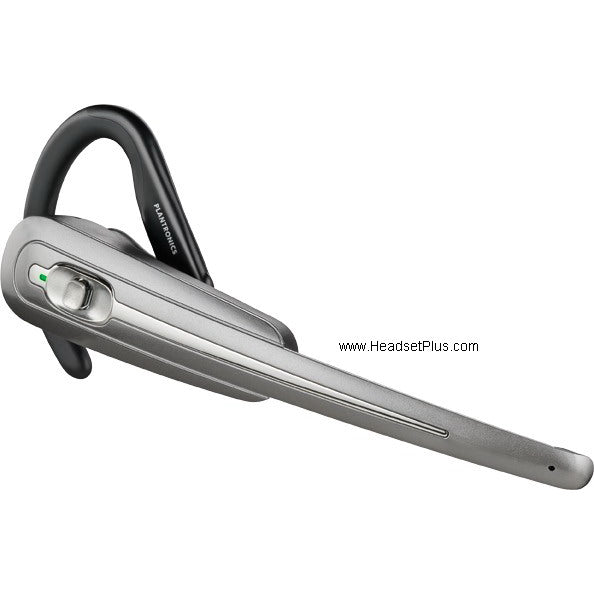
Plantronics Savi WO100 Replacement Headset (WH110) *DISCONTINUED*
Plantronics Savi WO100 Replacement Headset (WH110) *DISCONTINUED*
 Same Day Shipping
 30 Days Money Back Guarantee
★
30 Days Money Back Guarantee
★
Non-Returnable Items (Manufacturer Policy)
Please note that the following items cannot be returned due to manufacturer policies:
- Accessories & Replacement Parts – such as ear cushions, headbands, and similar components.
- Batteries – including batteries for headsets and adapters.
- Video Solutions – all video devices are non-returnable, including products such as Panacast 50 and Teams Room Systems.
- Custom or Specialized Items – including SHR headsets, CA22 PTT, Jabra GSA PTT headsets, and ClearOne conference systems.
We recommend confirming compatibility and requirements before placing your order. If you need help choosing the right product, our team will be happy to assist.
- Accessories & Replacement Parts – such as ear cushions, headbands, and similar components.
 No Sales Tax (Except Selected States)


Buying more than 1? contact us for a quote.
Couldn't load pickup availability
Description
Description
*Discontinued* Replaced by Plantronics Savi WH500 Replacement Headset
This is the Plantronics Savi WH100 replacement/spare headset for the Plantronics Savi Office WO100 wireless headset system. This is the spare headset If you lost or broke your Plantronics Savi headset or if you want to use it in a multi-user conference mode. This part does not include the base.
Key Features:
- Genuine Plantronics Spare headset for the Savi Office W0100
- Will not function without the Savi Office amplifier/charging base
- Will sync up with your existing WO100 amplifier/charging base
- Cannot be interchanged with Calisto Pro Bluetooth headset
- Includes both ear loops and headband
- Includes charging cradle, does NOT include Plantronics Savi Charge Base
Instructions to re-sync:
Syncing a new headset to the base you can do so one of two ways:
You can subscribe a headset to the base with the headset docked (secure subscription) or undocked (over-the-air subscription). In either case, the system must be idle (not on a call).
If the Headset is Docked
Double press the subscription button on the base. The subscription light will flash red and green. When the subscription light becomes solid green, the headset and base are subscribed to one another.
If the Headset Undocked
Double press the subscription button on the base. The subscription light will flash red and green. Press the volume up button on the headset for three seconds until the headset indicator light turns solid green. When the subscription light on the base becomes solid green, the headset and base are subscribed to one another.
Manufacture Information
Manufacture Information
Extra Info
Extra Info
Partnered With The Best.


Most Popular Questions!
Got questions about Headsetplus? Find all the answers you need in our Frequently Asked Questions section!
-
Is technical support provided after purchase?
Yes! We provide lifetime technical support for all purchases. Our expert team is dedicated to ensuring your headset works perfectly with your system for years to come.
-
What is the warranty period for headsets purchased from Headsetplus?
Every item we sell is backed by a full 1-year manufacturer’s warranty. We stand behind the quality of our products to ensure your success.
-
Do you sell refurbished or used headsets?
No. We are Authorized Partners for brands like Poly, Jabra, and Yealink, and we guarantee that every product is 100% brand-new and factory-sealed.
-
How can I check if a headset is compatible with my device?
You can use the compatibility guides on our website or call us directly. We specialize in matching the right headset to your specific phone system.