


















Jabra GN2125 Noise-Canceling Binaural Headset (QD, Telecoil Option)
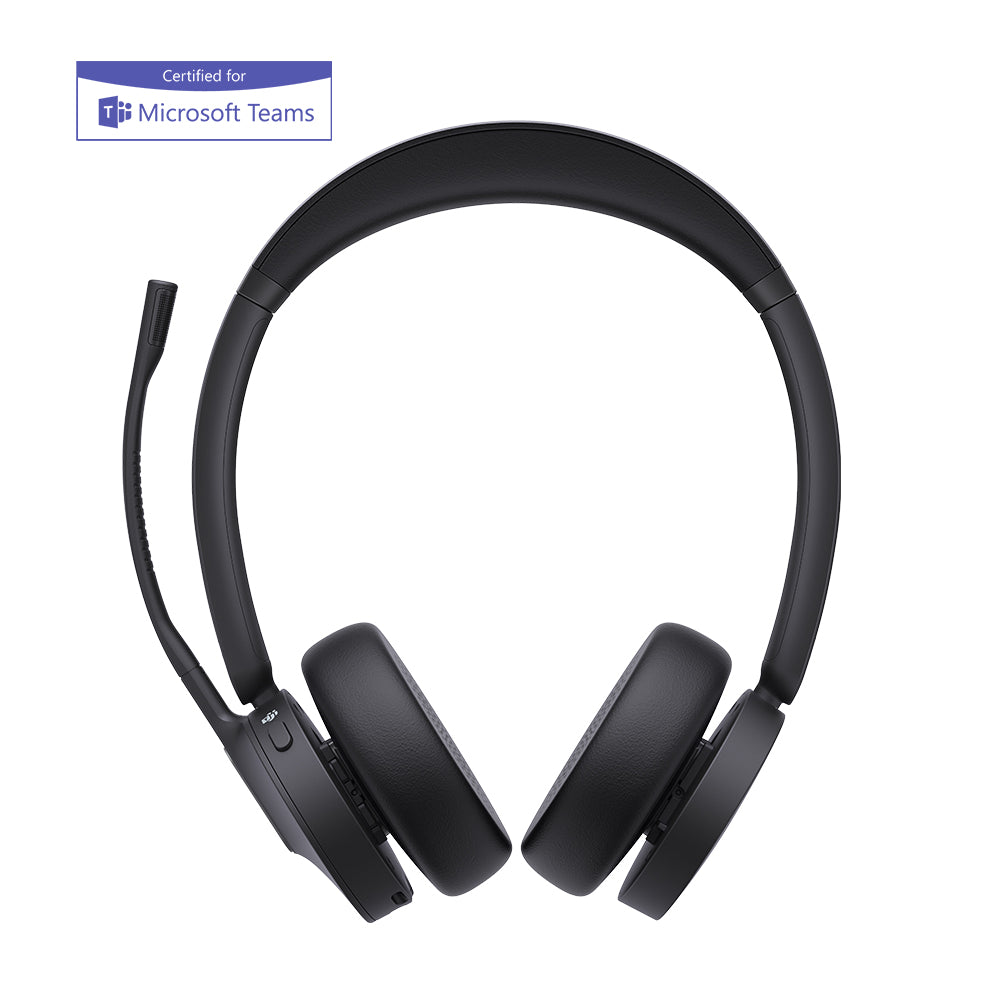
The Jabra GN2125 covers both ears
In an open-plan office, the hard part isn't hearing your caller — it's hearing your caller over the dozen conversations three feet away. The Jabra GN2125 noise canceling binaural headset answers that by covering both ears, sealing the floor out so the only voice you're tracking is the one on the line.
It's a corded, single-purpose desk-phone headset from Jabra's long-running 2100 series — light, durable, built for full shifts. It comes in three versions, and one is unusual: alongside the standard Quick Disconnect and a ready-to-wire desk-phone bundle, there's a telecoil version made specifically for people who wear hearing aids.
Build the exact Jabra GN2125 you need
Three versions. The first question is whether the wearer uses a hearing aid; after that, it's how the headset connects to the phone.
- Headset Only (Quick Disconnect). The standard binaural Jabra GN2125 with a Jabra QD end and nothing else. Pick this if you already run Jabra cords or amplifiers at the desk, or you'll order the connection separately.
- Direct Connect Bundle (includes RJ9 cord). The same headset plus an RJ9 cord that plugs into a desk phone's headset port — a complete kit for phones with an RJ9 jack.
- Telecoil version (hearing-aid compatible). A binaural GN2125 with a telecoil built into the earpiece, for a wearer whose hearing aid has a T-coil. Pick this when the user keeps their hearing aids in and needs the phone audio to reach them cleanly. It still needs a connection cord or amplifier, like the others.
How the Jabra GN2125 Telecoil works with hearing aids
The Jabra GN2125 Telecoil sends phone audio to a hearing aid magnetically instead of acoustically. A telecoil (T-coil) sits on the plain back side of one earpiece; the wearer switches their hearing aid to its "T" setting, holds that side of the earpiece against the aid, and the call passes inductively — straight into the hearing aid, bypassing its microphone.
That bypass is the entire point. When a hearing aid's own microphone sits near a speaker, it tends to squeal with feedback and re-amplifies the room along with the call. Sending the audio by induction skips both problems — no feedback whistle, and none of the surrounding noise the aid would otherwise pull in.
Audio passes magnetically into the hearing aid's T-coil, bypassing its mic. No feedback squeal, and the room noise an aid would amplify never enters the signal.
Sound plays out a speaker into the ear or the hearing-aid mic. Fine for typical hearing, but for many aid wearers it invites feedback and re-amplified background noise.
Will the Jabra GN2125 connect to your phone?
Not on its own — every version of the Jabra GN2125 ends in a Quick Disconnect and needs a bridge to the phone. For a desk phone with an RJ9 headset port, the direct-connect cord (in the Bundle) plugs straight in. For a phone without one, or to add inline volume and mute, you connect through a Jabra amplifier instead. This applies to all three versions, the Telecoil included — confirm your phone model before choosing, and budget the cord or amplifier into a Headset-Only or Telecoil order.
Both ears, and a mic that fights the room
Covering both ears is the binaural advantage: quiet or weak callers come through clearly, and the conversations around you fade back. The flex-boom noise-canceling microphone does the same job in reverse, keeping the floor's noise out of what your caller hears. Bend the boom to your mouth once and it holds position.
A built-in guard for your hearing
PeakStop caps the spikes
Jabra's PeakStop technology holds sudden bursts — line tones, fax screeches, feedback — inside a safe range before they reach your ears. On a high-volume desk, and especially for anyone already managing their hearing, that protection adds up across a shift.Comfortable enough to forget
A click-stop headband keeps its setting once adjusted, and the pillow-soft cushions rest lightly over both ears. The GN2125 is light enough that a full shift doesn't turn into a headache, and the cushions are replaceable when they flatten with use.
Most binaural headsets force one decision — block the room or don't. The Jabra GN2125 lets you make a second, quieter one: whether the person wearing it has hearing needs the standard versions can't meet. That's rare in a corded desk-phone headset, and it's why the GN2125 has stayed in catalogs long after flashier models came and went. Match the version to the wearer and the phone, and it works, shift after shift.
- Jabra GN2125 noise canceling binaural headset — click-stop headband, soft ear cushions, flex-boom NC microphone
- Jabra Quick Disconnect end
- Quick start guide
- RJ9 direct-connect desk phone cord — included with the Direct Connect Bundle only
- Telecoil-equipped earpiece — on the Telecoil version only
Headset Only and the Telecoil version ship without a connection cord; you supply the RJ9 cord or a Jabra amplifier. The Direct Connect Bundle includes the RJ9 cord for phones with a headset port.
| Type | Binaural (both-ear) corded headset |
|---|---|
| Series | Jabra (GN Netcom) 2100 series |
| Microphone | Noise-canceling, flex (bendable) boom |
| Hearing protection | Jabra PeakStop (sudden-sound limiting) |
| Hearing-aid compatibility | Telecoil version only — T-coil on the plain side of the earpiece; works with standard telecoil-equipped hearing aids set to "T" |
| Headband | Click-stop, adjustable; pillow-soft ear cushions |
| Connector | Jabra Quick Disconnect |
| Connection | Requires a Jabra amplifier or direct-connect cord; RJ9 cord included with the Direct Connect Bundle |
| Telecoil part number | 2127-80-54 (Telecoil version) |
| Warranty | 2-year manufacturer warranty (Jabra) |
Software. The Jabra GN2125 is an analog Quick Disconnect headset — no USB, no drivers, no Microsoft Teams or Zoom certification on its own. To use it with a computer softphone, you'd add a Jabra USB-to-QD adapter; for a dedicated PC headset, a purpose-built USB model is usually the better choice.
Hardware. The GN2125 connects to a desk phone through an RJ9 direct-connect cord into the phone's headset port (included with the Bundle), or through a Jabra amplifier for phones without a headset port. Jabra's direct-connect and Smart Cords cover a wide range of desk phones — check your phone model against Jabra's compatibility guide before choosing.
Platforms. The Jabra GN2125 is built for desk-phone telephony in contact centers and offices, where binaural coverage helps agents lock onto the call. The Telecoil version extends that to hearing-aid users, making it a practical option for workplace accessibility and ADA accommodations.
FAQ
Frequently Asked Questions
The Jabra GN2125 is a corded, both-ear (binaural) desk-phone headset from Jabra's 2100 series, with a noise-canceling flex-boom mic, a click-stop headband, and a Jabra Quick Disconnect. It comes in standard, RJ9-bundle, and telecoil (hearing-aid compatible) versions, and is aimed at contact centers and offices.
The Jabra GN2125 Telecoil has a telecoil built into the earpiece that sends phone audio magnetically into a hearing aid. The wearer switches their hearing aid to the "T" setting and holds the plain side of the earpiece against the aid; the call passes inductively into the aid, bypassing its microphone, which avoids feedback squeal and re-amplified room noise.
Only the Telecoil version is hearing-aid compatible, and only with aids that have a telecoil switched to the "T" program. Not every hearing aid includes a telecoil, and some need an audiologist to enable it — confirm the wearer has a working T-coil before ordering. If they don't, the standard GN2125 is the right choice.
The Jabra GN2125 works with most desk phones, but not on its own — it ends in a Quick Disconnect. If your phone has an RJ9 headset port, the included direct-connect cord (in the Bundle) plugs straight in; if not, you connect through a Jabra amplifier. This is true of all three versions, so plan a cord or amplifier into a Headset-Only or Telecoil order.
The GN2125 is binaural — it covers both ears to block out the room. The GN2124 is monaural, covering one ear so you stay aware of your surroundings. Both are 2100-series corded headsets with a noise-canceling flex boom and a Quick Disconnect; the GN2125 also offers a telecoil version for hearing-aid users.
Choose the Telecoil version if the wearer uses a telecoil-equipped hearing aid. Otherwise, choose the Direct Connect Bundle if your desk phones have an RJ9 headset port (it arrives ready to use), or Headset Only if you already have Jabra cords or amplifiers in place. The headset is the same binaural GN2125 in every case.