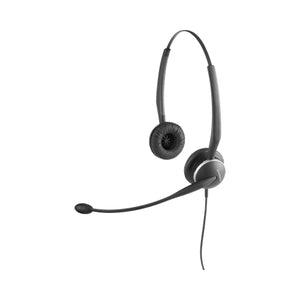
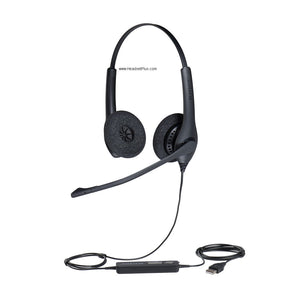
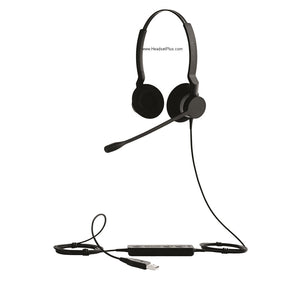
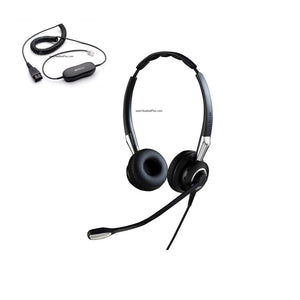
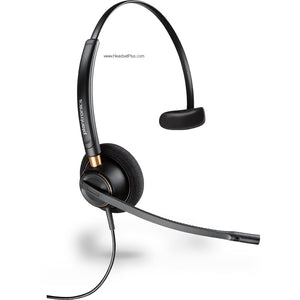
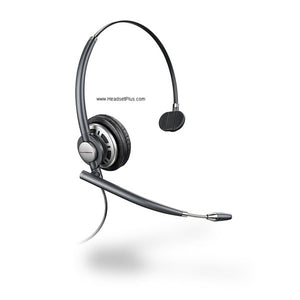
Jabra GN2124 4-in-1 Flex Mono Headset (QD or Direct Connect Bundle)
The Jabra GN2124 wears four different ways
Hand the same headset to forty agents and you'll get forty opinions on how it should sit — over the head, hooked on an ear, behind the neck. The Jabra GN2124 4-in-1 Flex mono headset sidesteps that argument entirely: one headset, four wearing styles, so everyone finds their own fit out of the same box.
It's a single-ear corded headset built for desk-phone work — the no-frills, all-day gear contact centers have run for years. A noise-canceling flex boom keeps your voice clean on a loud floor, and a Jabra Quick Disconnect lets you stand up and walk off without dropping the call. One thing to know up front: the GN2124 doesn't plug straight into a phone by itself — which is exactly what the two versions below sort out.
Build the exact Jabra GN2124 setup you need
Two versions, and the right one comes down to a single question: does your desk phone have a dedicated headset (RJ9) port?
- Headset Only (Quick Disconnect). The Jabra GN2124 with its Jabra QD end and nothing else. Pick this if you already run Jabra amplifiers or direct-connect cords at each desk, or you're standardizing on a connection you'll order separately.
- Direct Connect Bundle (includes RJ9 desk phone cord). The headset plus an RJ9 direct-connect cord that plugs straight into your phone's headset port. Pick this if your desk phones have an RJ9 headset jack and you want a complete, ready-to-wire kit in one order.
Four ways to wear one headset
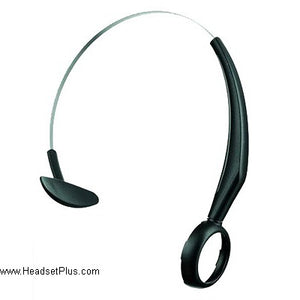
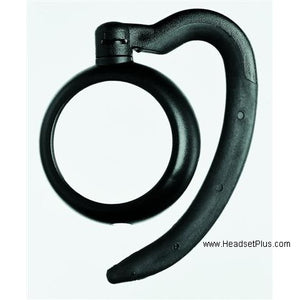
The "in-1" in the Jabra GN2124 4-in-1 is literal: the same single-ear headset converts between four wearing styles by swapping the wearing piece — a headband over the top, an ear hook over the ear, an ear loop around it, or a neckband behind the head. It sits on the left or right ear either way.
One SKU, every fit
For a team, that's the quiet advantage. Order one part number for everyone and let each agent pick the style that's comfortable, instead of guessing who wants a headband and who wants an ear hook — and instead of reordering when someone's preference changes. Fewer SKUs to manage, fewer swaps, fewer returns.Will the Jabra GN2124 connect to your desk phone?
Most likely yes, but not on its own — the Jabra GN2124 ends in a Quick Disconnect and needs a bridge to the phone. If your desk phone has an RJ9 headset port, a direct-connect cord (the one in the Bundle) plugs straight in. If it doesn't, you connect through a Jabra amplifier instead.
For phones with a dedicated RJ9 headset port. The cord runs from the headset's Quick Disconnect straight into that port — simplest path, fewest parts, no batteries. This is what the Bundle includes.
For phones with no headset port, or where you want inline volume and mute controls. A Jabra amplifier sits between the QD headset and the phone and handles the connection.
Noise canceling for a loud floor
The flex boom carries a noise-canceling microphone that, per Jabra's spec, filters roughly 70–80% of surrounding noise out of your transmission — so on a packed contact-center floor, the caller hears you and not the eight conversations beside you. The boom bends to sit where your voice projects best and holds its shape.
Mono, so you stay in the room
The GN2124 covers one ear by design. Reception desks, retail counters, and supervisors keep the other ear open for the colleague leaning over with a question, or the floor noise that actually matters. For agents who'd rather shut the room out completely, a binaural headset is the better tool — but for staying tied to both the call and the room, one ear is the point.
The GN2124 isn't trying to be a modern USB headset, and that's the appeal — it's a proven, repairable, corded workhorse that gives every agent their own comfortable fit and keeps their voice clean, for years, with no software and nothing to charge. Buy the Bundle if your phones take an RJ9 cord; buy the headset alone if your connection is already sorted. Either way, it's the same dependable headset underneath.
- Jabra GN2124 4-in-1 Flex mono headset
- Four wearing-style attachments — headband, ear hook, ear loop, and neckband
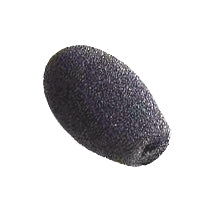
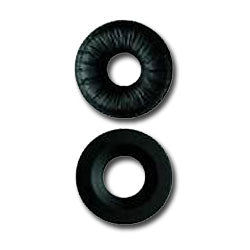
- Foam ear cushion
- Quick start guide
- RJ9 direct-connect desk phone cord — included with the Direct Connect Bundle only
Headset Only ships with the Jabra Quick Disconnect end and no connection cord; you supply the amplifier or cord. The Direct Connect Bundle adds the RJ9 cord for phones with a headset port.
| Type | Monaural (single-ear) corded headset |
|---|---|
| Series | Jabra (GN Netcom) 2100 series |
| Wearing styles | 4-in-1: headband, ear hook, ear loop, neckband — left or right ear |
| Microphone | Noise-canceling, flex (bendable) boom; ~70–80% noise reduction |
| Connector | Jabra Quick Disconnect |
| Connection | Requires a Jabra amplifier or direct-connect cord; RJ9 cord included with the Direct Connect Bundle |
| Part number | 2104-820-105 |
| Warranty | 2-year manufacturer warranty (Jabra) |
Software. The Jabra GN2124 is an analog Quick Disconnect headset with no USB connection, no drivers, and no Microsoft Teams or Zoom certification. It's made for desk phones, not softphones — if you need to run a computer or UC client, a USB-connected Jabra model is the right tool instead.
Hardware. The GN2124 connects to a desk phone in one of two ways: a direct-connect RJ9 cord into the phone's headset port (included with the Bundle), or a Jabra amplifier between the headset and the phone for models without a headset port. Jabra's phone-specific direct-connect and Smart Cords cover a wide range of desk phones — confirm your phone model before choosing.
All 2 models
Jabra GN2124 4-in-1 Flex Mono Headset (QD or Direct Connect Bundle) — every configuration, part number and price.
| Connection Type | Part number | Price |
|---|---|---|
| Headset Only (Quick Disconnect) | 2104-820-105 | $154.96 |
| Direct Connect Bundle (Includes RJ9) | 2104-820-DIR | $199.96 |
Goes With It
You May Also Like