











































What makes a wireless headset compatible with a Cisco phone
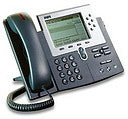
A wireless headset compatible with a Cisco phone is really two purchases: the headset, and the electronic hookswitch adapter that lets you answer a call from across the room. Cisco desk phones do not speak the signaling language wireless headset bases use, so a small translator sits between them, and which one you need is set by the exact Cisco model rather than by the series. Poly wireless bases use the APC-43 across the 6945, 7800, 7900 and 8800 families. Jabra uses the Link 14201-43 over much of the same ground. EPOS uses the CEHS-CI 01. Three Cisco models break the pattern completely, the 8941, 8945 and 8945G, and every brand ships a different part for them. The base itself plugs into the phone's handset port, not the headset port, which is the most common reason a correctly ordered setup does not work.
What actually decides this
- The adapter, not the headset, is what makes remote answering work on a Cisco phone, and it is chosen by exact model.
- The Poly APC-43, Jabra Link 14201-43 and EPOS CEHS-CI 01 cover the 6945, 7800, 7900 and 8800 families between them.
- The Cisco 8941, 8945 and 8945G take a different part in every brand and connect to the headset port instead.
- The wireless base installs in the handset port. The dedicated headset jack next to it is for corded headsets.
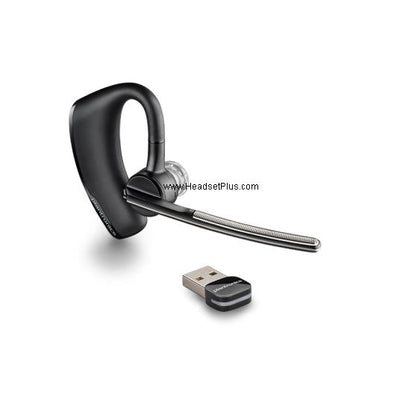
The headset is the easy half. Any current DECT base from Poly, Jabra or EPOS will pair with a Cisco desk phone and carry audio the moment you plug it in. What you are actually buying when you buy a Cisco compatible wireless headset is the ability to answer a call while you are standing at the printer, and that lives in a separate part with a part number of its own.
The wireless base goes in the handset port, not the headset port
The base of a wireless headset installs into the handset jack, the one the curly cord plugs into, even on Cisco phones that have a dedicated headset jack sitting right next to it.
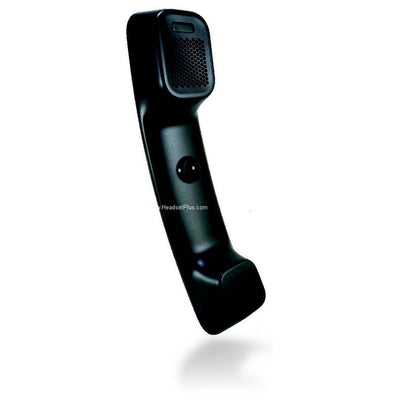
The wiring makes sense once you see what each port is for. The headset jack carries audio to a corded headset and does nothing else. A wireless base has to sit in the audio path so it can take the call over, so the handset cord comes out of the phone and goes into the base, and a second cable runs from the base back to the phone's now empty handset port. The handset on your desk still works. It just goes through the base now.
Plugging the base into the headset jack is one of the most common reasons a setup that was ordered correctly still does not behave, and it looks like a faulty headset rather than a wiring mistake.
An EHS adapter is a translator, not an extension cable
The adapter between a Cisco phone and a wireless headset base converts between two different hookswitch signaling standards, which is why a longer cable or another brand's part will not stand in for it.
Wireless headset makers settled on one standard and Cisco did not. Jabra describes its Link 14201-43 as converting from the HHC standard used in Cisco phones to the DHSG standard used in Jabra headsets, and Poly and EPOS build the same conversion into their Cisco parts under their own part numbers. That single sentence explains most of what looks arbitrary about Cisco headset compatibility. There is no universal EHS cable because there is no universal signaling on the phone side.
DHSG: DHSG: the hookswitch signaling standard most wireless headset bases speak, named from the German for wireless headset and carried over an RJ-45 connector.
It also explains why the adapter is model specific rather than series specific. The conversion has to match what that particular phone puts on the wire, so two Cisco phones with identical looking ports on the back can need entirely different parts.
Which EHS adapter each Cisco phone takes
Three part numbers cover almost every Cisco desk phone still in service: the Poly APC-43, the Jabra Link 14201-43 and the EPOS CEHS-CI 01, chosen by the headset brand you are buying and then checked against your exact phone.
| Cisco phone | Poly | Jabra | EPOS |
|---|---|---|---|
| 6945, 7821, 7841, 7861 | APC-43 | Link 14201-43 | CEHS-CI 01 |
| 7942G, 7945G, 7962G, 7965G, 7975G | APC-43 | Link 14201-43 | CEHS-CI 01 |
| 8811, 8841, 8845, 8851, 8861, 8865 | APC-43 | Link 14201-43 | CEHS-CI 01 (8811 and 8841 listed) |
| 9951, 9971 | APC-43 | Not published | Not published |
| 8941, 8945, 8945G | APC-82 | Link 41 | CEHS-CI 04 |
The Poly APC-43 carries the widest published model list of the three, running from the 6945 through the 7800, 7900 and 8800 families and on to the 9951 and 9971. Jabra publishes the Link 14201-43 against the 6945, 78xx, 79xx and 88xx series. EPOS publishes the CEHS-CI 01 up to the 8811 and 8841 in the 8800 family, so if you are on an 8845 or an 8865 and buying EPOS, confirm the part rather than assuming the rest of the series carries over.
On the headset side one adapter serves a whole range of bases. The APC-43 is the Cisco part for Poly's CS500 and Savi lines, the Savi 8210 and CS540A included. The CEHS-CI 01 covers the EPOS IMPACT SDW 5000, DW, SD and D 10 series.
The 8941, 8945 and 8945G need a different part in every brand
These three Cisco models take a brand specific adapter that connects to the headset port on the back of the phone rather than the standard Cisco EHS cable: the Poly APC-82, the Jabra Link 41 and the EPOS CEHS-CI 04.
They are worth naming separately because nothing about the model number warns you. An 8945 sits between the 8841 and the 8961 in the catalog and looks like it should share their accessories. It does not, and an APC-43 ordered for one will pass audio without ever giving you remote answering, which is the exact failure that gets blamed on the headset.
The 79xx adapters on old charts are gone, and 79xx still works
Every 79xx specific EHS adapter from the previous generation has been retired, the Poly APC-40, APC-41 and APC-42 and the Jabra Link 22 among them, which is why a compatibility chart written before those parts went reads today like a dead end.
It is not a dead end. The APC-43 and the Link 14201-43 replaced them, and both publish the 7942G, 7945G, 7962G, 7965G and 7975G in their supported model lists. Jabra's own page for the Link 14201-22 now shows the part sold out and describes it as being for select Cisco Unified IP phones in the 7900G series. The replacement covers those same phones and a good deal more besides, so a 79xx on a desk today is not stuck on corded.
The reason the accessories were withdrawn before the phones left service is worth knowing if you are planning a refresh.
Cisco closed ordering on the 7900 series roughly a decade ago and points customers at the 8800 series as the migration path. The phones stayed on desks anyway, which is exactly the situation where the accessory catalog moves on and the installed base does not. If your 79xx is still answering calls, buy the current adapter, not the one the old chart names.
How to connect a wireless headset to a Cisco IP phone
With the right adapter in hand, connecting a wireless headset to a Cisco IP phone is three physical connections and one setting on the phone, and the setting is the part people miss.
The handset cord comes out of the phone and goes into the base. The telephone interface cable runs from the base back to the empty handset port. The EHS adapter runs from the base to the phone's AUX port, which is the control path rather than the audio path. Cisco's own accessories guide describes its 560 Series base connecting through the AUX and RJ-9 connectors with a Y-cable, and a third party base is doing the same two jobs with a different plug on the end.
Then turn hookswitch control on. On current 7800 and 8800 firmware the toggle is on the phone itself, under Admin settings and then Aux port. On older Cisco Unified Communications Manager deployments the equivalent sits on that phone's configuration page in Call Manager, and if the option is missing or locked on the handset, your administrator holds it centrally and you will need them to enable it before the adapter does anything.
One symptom worth separating out: if the caller sounds fine but your own headset is uncomfortably loud on a 78xx or 88xx phone, that is an output level problem rather than a hookswitch problem, and a Jabra GN1218 attenuation cable in the audio path is the part that addresses it.
Which EHS adapter do I need for a wireless headset on a Cisco phone?
For most Cisco desk phones in service, the adapter is the Poly APC-43 for Poly headsets, the Jabra Link 14201-43 for Jabra, or the EPOS CEHS-CI 01 for EPOS. All three cover the 6945 and the 7800, 7900 and 8800 families. The Cisco 8941, 8945 and 8945G are the exception and take the APC-82, Link 41 or CEHS-CI 04 instead.
Do Cisco 7900 series phones still work with a current wireless headset?
Yes. The 79xx specific adapters such as the Poly APC-41 and the Jabra Link 22 were retired, but the Poly APC-43 and Jabra Link 14201-43 that replaced them both list the 7942G, 7945G, 7962G, 7965G and 7975G as supported models. An old compatibility chart naming a discontinued part is the usual source of the confusion.
Does a wireless headset base plug into the Cisco handset port or the headset port?
The handset port, in almost every case, even when the Cisco phone has a dedicated headset jack. The handset cord unplugs from the phone and goes into the wireless base, and a telephone interface cable runs from the base back to the handset port. The headset jack is built for corded headsets and will not drive a wireless base properly.
Why does the Cisco 8945 need a different adapter from the 8841?
The Cisco 8945 uses different hookswitch signaling from the rest of the range, so it takes a headset-port adapter rather than the standard Cisco EHS cable. That means the Poly APC-82, the Jabra Link 41 or the EPOS CEHS-CI 04. The model number gives no hint of this, which is why the 8941, 8945 and 8945G are worth checking separately before ordering.
Wireless headsets compatible with Cisco phones are not in short supply. The part that decides whether yours answers calls from the hallway is a small cable whose part number quietly changed a generation ago, so read the model off the label underneath the phone and match the adapter to it before you order the cisco phone wireless headset itself.
Comments (0)