











































Cisco Jabber headset compatibility, in one paragraph
Cisco Jabber headset compatibility splits into two questions that usually get answered as if they were one. Any USB headset the computer recognizes as an audio device will carry the call in Cisco Jabber, with a microphone going in and a speaker coming out and nothing to install. Call control is the second question and it is the one that fails. Pressing answer on the headset, hanging up from the boom arm, muting without reaching for the laptop: those buttons only reach Cisco Jabber when vendor software sits between the headset and the client. For Poly and Plantronics headsets that software is Poly Lens Desktop 1.5 or later, and Poly states that its Cisco Jabber and Webex support is Windows only. Plantronics Hub, the app most surviving instructions still name, has to be uninstalled first. Cisco IP Communicator, the softphone this question used to be asked about, is out of support.
What decides whether the buttons work
- Audio runs on almost anything with a USB plug. Call control is the part that needs software.
- Poly Lens Desktop 1.5, released August 16, 2024, is the version that added Cisco Jabber and Webex support, and it is Windows only.
- Plantronics Hub has to come off the machine before Poly Lens Desktop goes on, and Cisco Jabber has to be closed during the install.
- Cisco IP Communicator reached its last date of support on October 31, 2016, so nothing new should be built on it.
Most of the instructions still floating around for this name Plantronics Spokes or Plantronics Hub, and both were the right answer once. Poly's own release note for Poly Lens Desktop 1.5 now tells you to uninstall any pre-existing version of Plantronics Hub before you install it. Follow the older advice and you end up with a headset that plays audio perfectly and a set of buttons that do nothing at all. Audio is almost never the part that fails. The buttons are.
What Cisco Jabber sees when you plug a headset in
Cisco Jabber sees two separate devices inside the same piece of plastic: a sound card and a keyboard.
The sound card half is the easy half. The headset enumerates as a USB audio device, the operating system offers it in the device list, and Cisco Jabber uses it. The other half is where the buttons live, and it has nothing to do with audio.
Call control: Call control: the headset's answer, hang up and mute buttons operating the softphone itself, rather than only changing what the headset is doing with its own microphone and speaker.
Underneath, a headset button is a USB HID event. In a HID report descriptor, usage page 0x0B declares a telephony device of the type Headset carrying two buttons, Hook Switch and Phone Mute, along with three LED states for mute, off-hook and ring, as the Swiss engineering firm Noser sets out in its walkthrough of writing one. That descriptor is standardized. What is not standardized is whether the application at the other end is listening for it, or what it does when the ring LED needs turning on.
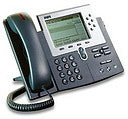
This is the difference between a softphone and a desk phone, and it catches people who have done this before on hardware. On a Cisco desk phone the same job belongs to an electronic hook switch, a physical link between the headset and the phone that passes answer, hang up, ringtone and mute signals. You buy a cable and the cable is the compatibility question. On a softphone there is no cable to get wrong. The equivalent of the cable is a piece of software, and that is the thing people forget to install.
Why the buttons need Poly Lens Desktop, and only on Windows
Cisco Jabber does not pick up Poly headset buttons on its own, and Poly Lens Desktop 1.5 is the release that joined the two together.
The Windows restriction is the sentence worth reading twice. Poly's release note says in as many words that Cisco Webex and Jabber softphone support is available on Poly Lens Desktop 1.5 for Windows only. If half your team is on MacBooks, the headsets will still sound fine on Cisco Jabber and the answer button will still do nothing, and no amount of reinstalling changes that. Plan the Mac seats around clicking answer on screen, or check current Poly documentation before you commit, because that is the kind of limitation that gets lifted in a later release and nowhere else.
The install order matters more than it should. Poly's note is specific: any pre-existing version of Plantronics Hub must be uninstalled, and Cisco Jabber itself must be stopped before you start the install or upgrade and restarted once it finishes. Two headset managers fighting over the same HID device is a support call that looks like a broken headset, and the fix is subtraction rather than addition.
Cisco IP Communicator, CIPC, and the searches that still land on it
Cisco IP Communicator is finished as a supported product: a Cisco end-of-life notice announced on October 17, 2011 put end-of-sale at October 31, 2011, end of software maintenance at October 31, 2013, and the last date of support at October 31, 2016.
People still arrive at this question sideways. One of the phrases that brings them is "Plantronics Communicator", which is not a product Plantronics ever made. It is shorthand for the setup a lot of offices ran for years: a Plantronics USB headset driving CIPC, Cisco's Windows softphone, on a desktop under a CUCM cluster. The same era gave us CUPC, the Cisco Unified Personal Communicator name that Jabber later carried forward.
If you are still running CIPC, the honest answer is that headset software is not your problem. Poly describes the Cisco support in Poly Lens Desktop 1.5 against Cisco Webex and Cisco Jabber, not against Cisco IP Communicator, and a softphone nine years past its last date of support is not a thing to buy new headsets for. Buy headsets that will still be right after the migration instead, which for most Cisco sites means Jabber now and Webex App next.
Which Cisco client needs which headset software
The client decides the software, and only two of the four common Cisco clients get button control from Poly Lens Desktop today.
| Cisco client | What it sees with no vendor software | Call control from the headset buttons |
|---|---|---|
| Cisco Jabber for Windows | A USB audio device | Poly Lens Desktop 1.5 or later |
| Cisco Jabber for Mac | A USB audio device | Not covered by Poly's Cisco support, which is Windows only |
| Webex App on Windows | A USB audio device | Poly Lens Desktop 1.5 or later |
| Cisco IP Communicator | A USB audio device | Out of support since October 31, 2016 |
Read the middle column as the floor rather than the failure. Every row of it works, which is why this problem is so easy to miss during a pilot: the headset is audible on the first test call, the buttons get tried on day three, and by then the purchase order is signed.
What to check before you order
Three checks separate a headset that will do what you expect on Cisco Jabber from one that merely works.
Check the operating system split across the seats you are buying for, not the one on your own machine. Check that whoever images the laptops knows Plantronics Hub has to come off, because in a managed fleet that is a packaging job rather than a user action. Check whether the people using it actually want button control, since a contact center seat on a wired headset with an inline control unit is answering in software anyway and the whole question evaporates.
After that it is a straight hardware choice: wired or wireless, one ear or two, and which connector the desk phones use for the staff who have both. Our Cisco phone headsets page groups the models that fit Cisco environments, and the same headsets cover the desk phone and the softphone for anyone sitting at both.
Does Cisco Jabber work with any USB headset?
Cisco Jabber will take audio from effectively any headset the computer recognizes as a USB audio device, with no extra software. Whether the headset's own answer, hang up and mute buttons control Cisco Jabber is a separate question, and for Poly and Plantronics headsets that requires Poly Lens Desktop 1.5 or later on Windows.
Do I still need Plantronics Hub for Cisco Jabber?
No. Poly's release note for Poly Lens Desktop 1.5 states that any pre-existing version of Plantronics Hub must be uninstalled before installing or upgrading, and that Cisco Jabber should be stopped for the install and restarted afterwards. Leaving Plantronics Hub in place is one of the more common reasons the buttons stop responding.
Is Cisco IP Communicator still supported?
No. A Cisco end-of-life notice announced on October 17, 2011 set the end-of-sale date for Cisco IP Communicator at October 31, 2011, end of software maintenance at October 31, 2013, and the last date of support at October 31, 2016. New headset deployments should be planned against Cisco Jabber or Webex App instead.

Comments (0)