











































If your Nortel Norstar T7316E phone was recently replaced or rebranded with an Avaya logo, and a headset that used to work perfectly now leaves your callers straining to hear you, you haven't done anything wrong — and the headset isn't broken. Avaya changed the phone's internal electronics when it took over Nortel, and that change is exactly why the same setup stopped working.
Key takeaways
- The original Nortel Norstar T7316E works with a Plantronics H-series headset + A10 cable, no amplifier needed.
- Avaya removed the internal microphone amplifier when it rebranded the same phone under its own logo.
- Result: identical headset + cable setup now transmits too quietly for callers to hear you.
- The fix is adding the Poly MDA524 amplifier (the current replacement for the discontinued M22) between headset and phone.
- Avaya-branded units carry part numbers like NT8B27, NTAB3198, NTAB3615, and several similar variants.
Why the same headset stopped working on your "new" phone
Here's the part that trips people up: the Avaya-branded T7316E looks identical to the original Nortel version — same case, same buttons, same phone. The difference is entirely internal. When Avaya took over Nortel, it rebranded this phone under its own logo and, in doing so, removed the internal microphone amplifier that boosted transmit audio on the original.
Myth
My headset must be defective — it worked fine on our old phone, and now callers can't hear me.Reality
The headset is very likely fine. If your phone is an Avaya-branded Norstar T7316E (rather than the original Nortel version), Avaya removed the phone's internal microphone amplifier when it rebranded the unit. The same headset and cable combination that worked perfectly on the Nortel version now transmits too quietly, because the phone itself is no longer boosting the signal the way it used to. This is a phone hardware difference, not a headset fault.Which version do you have?
Check the part number printed on the phone. If it's labeled as one of the following, you have the Avaya-rebranded version with the amplifier removed:
- NT8B27, NT8B27AABA, NT8B27AAAA, NT8B27AABB, NT8B27JAAA, NT8B27JAAB
- NTAB3198, NTAB3615, NTAB3618, NTAB3619, NTAB3620, NTAB4208, NTAB9696, NTAB9748
The fix for each version
Original Nortel-branded T7316E: any Plantronics H-series headset works directly with a Plantronics A10 cable — no amplifier needed.
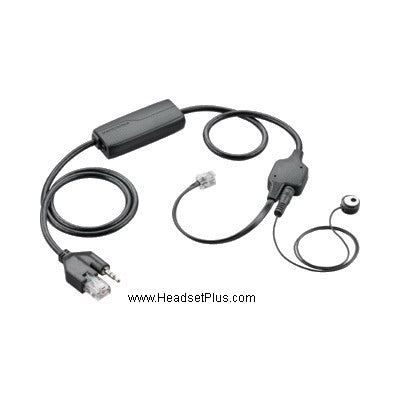
Avaya-branded T7316E (any part number above): the same headset and A10 cable will connect but transmit too quietly. Add the Poly MDA524 amplifier between the headset and the phone to restore proper microphone volume — it replaces the older M22 amplifier that this fix used to require, which has since been discontinued. The MDA524 provides independent volume and mute control and connects the same way the M22 did.
Why is my headset too quiet on my Avaya Norstar T7316E phone?
Avaya removed the internal microphone amplifier when it rebranded the Nortel Norstar T7316E under its own logo. The phone looks identical to the original Nortel version, but without that internal amplifier, the same headset and cable combination transmits too quietly for callers to hear. Adding an external amplifier, the Poly MDA524, restores proper volume.
How do I know if I have the Nortel or Avaya version of the T7316E?
Check the part number printed on the phone. Avaya-branded units carry part numbers including NT8B27 (and its AABA/AAAA/AABB/JAAA/JAAB variants) and NTAB3198, NTAB3615, NTAB3618, NTAB3619, NTAB3620, NTAB4208, NTAB9696, or NTAB9748. If your phone shows one of these, it's the Avaya version with the internal amplifier removed.
What amplifier fixes low headset volume on an Avaya T7316E?
The Poly MDA524 amplifier fixes this issue. It connects between your Plantronics H-series headset and the phone, restoring the transmit volume that the phone's internal amplifier used to provide before Avaya removed it. The MDA524 is the current replacement for the older Plantronics M22 amplifier, which has been discontinued.
Do I need an amplifier for the original Nortel Norstar T7316E?
No. The original Nortel-branded T7316E has its internal microphone amplifier intact, so any Plantronics H-series headset works directly with a Plantronics A10 cable — no separate amplifier is needed. The amplifier requirement only applies to the Avaya-rebranded version of the same phone.
If your headset volume dropped after a "phone upgrade" that was really just a rebrand, the fix is simple: add the Poly MDA524 amplifier and you're back to full transmit volume. For the full picture on Avaya headset compatibility across other phone models, see our Avaya wireless headsets guide, or call us at 877-999-3838 to confirm your exact model.

Comments (0)