















































Plantronics CS540 Troubleshooting: No Dial Tone, Echo and Static
Most CS540 problems are fixed with the switch and dials under the base. What to set for no dial tone, echo, static, n...
Read Article →Expert advice, buying guides, and industry insights for business teams
The CS540 uses DECT, not Bluetooth, so it won't show up on your laptop. Here is how the APU-76 cable connects the base to a computer instead.
 Oct 05, 2026· 4 min read
Most CS540 problems are fixed with the switch and dials under the base. What to set for no dial tone, echo, static, n...
Read Article →Pair a CS540 headset to its C054 base by docking it or with the subscription button, and what to check when the light...
Read Article →Most Bluetooth dropouts come from range, interference, a stale pairing or an old driver. Here is how to rule each one...
Read Article →USB, a single 3.5mm jack or Bluetooth: how to connect each kind of headset to a laptop, and the one setting people fo...
Read Article →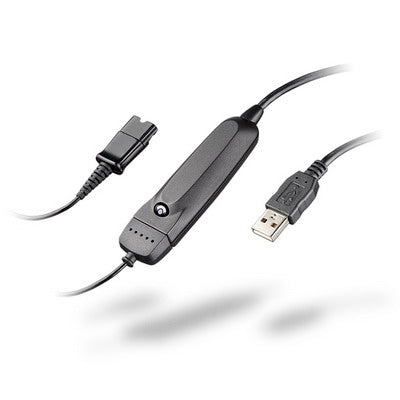 Accessories
USB Plantronics headsets plug straight in, Bluetooth ones use their adapter, and corded quick disconnect headsets nee...
Read Article → Amplifiers
The Plantronics S11 and S12 were the standard analog headset amplifiers for years. Both are discontinued now, but if ...
Read Article →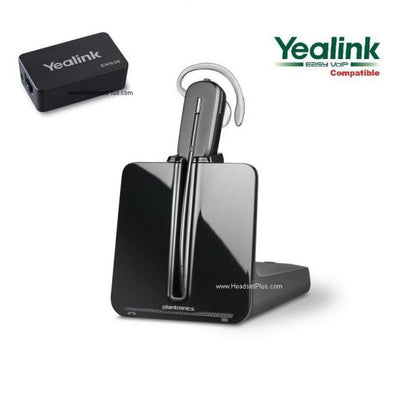 Compatibility
Yealink phones don't use Plantronics or Jabra EHS cables — Yealink makes its own, and picking the wrong one is the to...
Read Article → Accessories
A handset lifter lets your wireless headset answer desk-phone calls from across the room without touching the phone. ...
Read Article → Bluetooth
Hold Call until the light flashes red and blue, pick the PLT headset on your phone and enter 0000. Steps for Voyager,...
Read Article → Battery
If your Plantronics CS70, CS70N, or CS530 battery is dying, there's no user-replaceable battery — but repair typicall...
Read Article →
You buy a wireless headset so you can take a call on the way to the printer. Then you find it only answers if you pre...
Read Article →