

Confused on which headset and cable to order for your Packet8 (8X8) IP Phones?
Corded Headsets: For your Packet 8 (8×8) IP phone (models 6753i, 6755i, 6757i, 8×8 2118ST), no amplifier is needed. Your Packet8 IP Phone have a built-in amplifier. Select from any headset from the Plantronics Polaris Headsets page or the Jabra/GN Direct Connect Headset page, they plug directly into your Packet8 phone’s “headset” jack.
Plantronics Polaris Headsets comes complete with the Plantronics A10 bottom cable and the Jabra GN1200 Smart Cord for GN Direct Connect Headsets.
Wireless Headsets: Looking for a wireless headset for your Packet8 (now 8×8) phone? The Plantronics CS540, CS530, Jabra Pro 9450, and the Jabra Pro 925 Dual Connectivity Bluetooth Wireless Headset are some of the recommended wireless headsets. or you can choose from any of the other models HERE.These wireless headsets must be plugged in through your phone’s receiver/handset port, NOT your headset port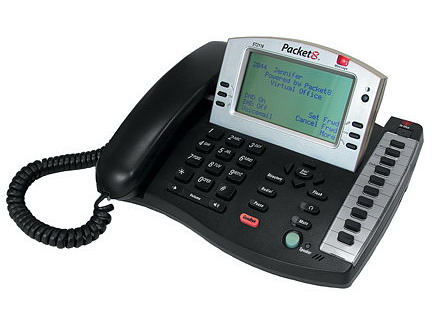
Setup Note: To initially set up the headset button on your Packet8/8×8 phone press OPTIONS, then choose PREFERENCES, then choose SET AUDIO, then choose AUDIO MODE, then choose HEADSET or choose HEADSET/SPEAKERPHONE if you want the button to act as a toggle between headset and speakerphone. Now you’re ready to use the headset button to answer and end a call on your headset!



