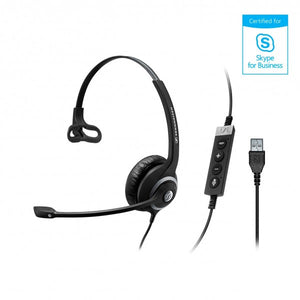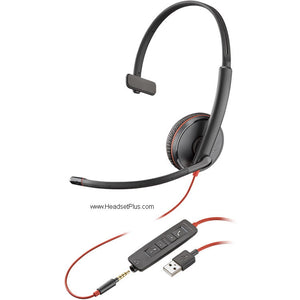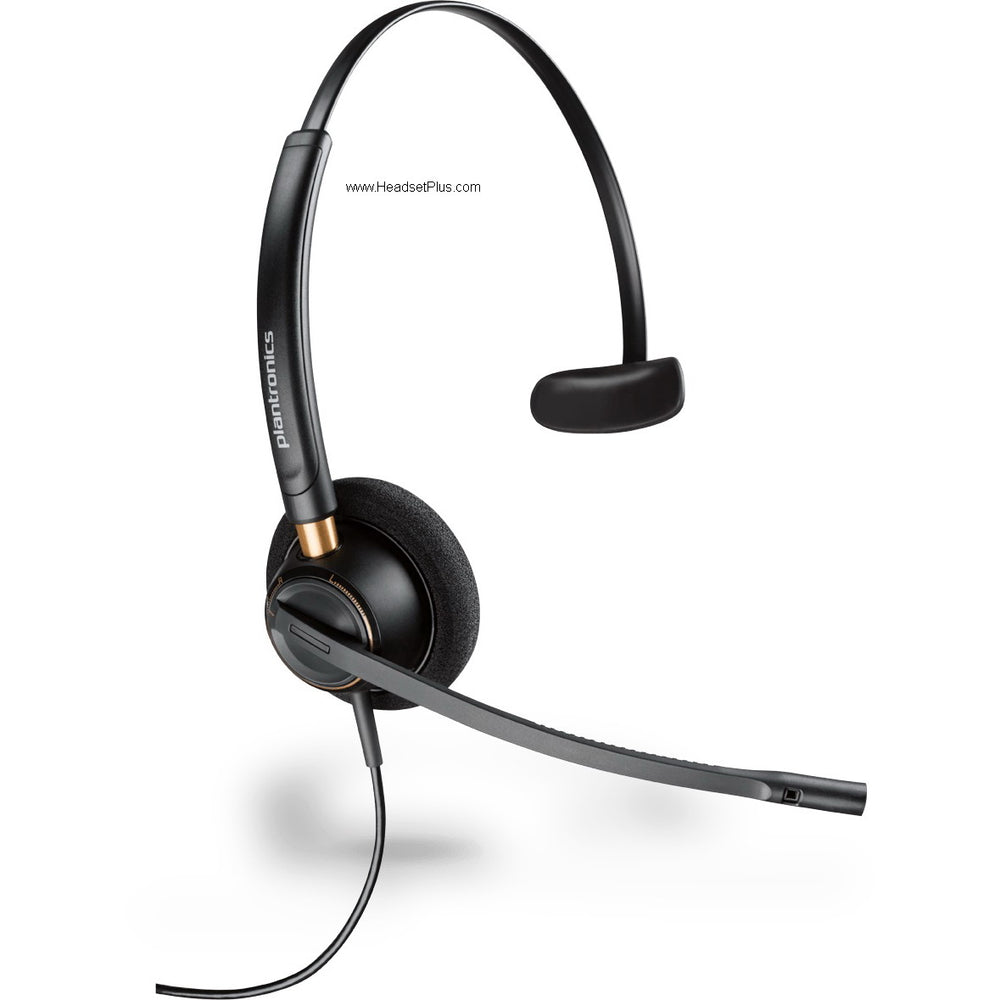













































EPOS ADAPT 135T USB II Mono Teams Headset (USB-A + 3.5mm)
One Cable, Straight Into Teams
Some workdays live almost entirely inside Microsoft Teams — back-to-back calls, a quick huddle, a screen share, then the next one. The EPOS ADAPT 135T USB II is built for exactly that day. It's a wired, single-ear office headset certified for Microsoft Teams, with a dedicated Teams button on the inline controller that takes you straight to the app. Plug it into a USB-A port and it works — no setup, no driver hunt, no dropped first call while you fiddle with audio settings.
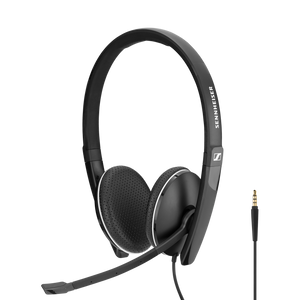
This is the Teams-certified ADAPT 135T from EPOS, the enterprise audio brand spun out of Sennheiser, so the engineering pedigree behind the sound is the same one that built Sennheiser's reputation. One ear open to stay aware of the room, a noise-cancelling mic so colleagues hear you and not the office, and a headset light enough to wear from the first meeting to the last.
What "Teams certified" actually gets you on the ADAPT 135T
Microsoft Teams certification isn't a sticker — it means Microsoft tested this headset against their audio standards and it passed, so calls sound the way Teams intends and the controls map correctly every time.
The dedicated Teams button
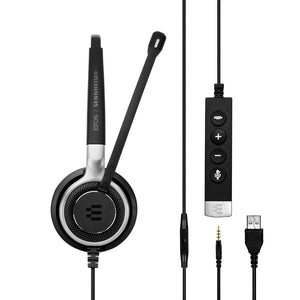
The inline controller has a button wired specifically to Teams. Tap it to bring Teams to the front, see notifications, or join a meeting — and it glows to flag when something needs you. It's the difference between hunting for the Teams window in a stack of apps and having it one thumb-press away on the cord already in your hand.
If your organization runs on Teams, that certification is the reason to pick the 135T over the plain 135. Both are tuned for unified communications and work with the softphones your team already uses — Zoom, Google Meet, Webex — but only the 135T carries the Teams button and the certification behind it.
Microphone and call clarity on the ADAPT 135T
The noise cancelling lives in the microphone, and it works for the person on the other end. The boom mic sits near your mouth and the noise-cancelling element filters the background — the colleague mid-conversation, the keyboard clatter, the open-plan hum — out of what you transmit, so your caller hears your voice instead of the room behind it.
Backing the mic is EPOS Voice — the DSP processing that smooths your audio so it comes through natural and clear rather than thin or harsh, even when the line gets busy. It's the quiet reason a call on this headset sounds easy to listen to over a full day.
Flexible connection — USB-A today, 3.5 mm anywhere
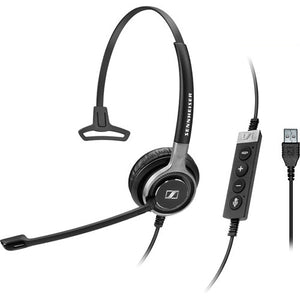
The headset ends in a 3.5 mm jack, and the included detachable USB cable adds a USB-A connector with the inline Teams controller. That's two ways to connect from one headset: USB-A into your computer for the full Teams experience and call controls, or unplug the USB cable and run the bare 3.5 mm jack straight into a laptop, a phone, or a tablet.
Built for the all-day shift, and your ears
At a featherweight build with leatherette cushions over large speakers, the ADAPT 135T sits comfortably through back-to-back calls without the clamp-headache cheaper headsets bring on by mid-afternoon. The headband adjusts to your fit, and the whole thing folds flat for travel or a desk drawer.
The detail that protects you across years of calls: ActiveGard. It guards against sudden acoustic spikes on the line — a feedback screech, a fault on the call — by limiting them before they hit your ear at full volume. Over a career of headset work, that protection is the kind of thing you don't notice until the day it saves you from a nasty jolt.
What the EPOS ADAPT 135T works with
Connect over USB-A to any Windows or Mac computer and the ADAPT 135T is certified for Microsoft Teams and optimized for the other major UC platforms — so it works with Zoom, Google Meet, Webex, and the softphone your team already runs. The 3.5 mm jack handles anything with a standard headphone port: laptops, smartphones, tablets. The inline controls put answer/end, volume, mute, and the Teams button on the cord, no reaching for the screen.
What you're buying is a headset that starts working the moment it's plugged in and keeps your Teams calls clear, comfortable, and consistent from morning to sign-off — with a second 3.5 mm life on your phone the moment you unplug. For a Teams-first desk, that's the headset doing its whole job and staying out of the way.
- EPOS ADAPT 135T USB II headset
- Detachable USB-A cable with inline controller and Microsoft Teams button
- Carry bag
- Quick start guide
- Safety and warranty documents
| Specification | Detail |
|---|---|
| Style | Mono (single-ear), on-ear, over-the-head, wired; foldable |
| Microphone | Noise-cancelling boom mic with EPOS Voice (DSP) processing |
| Audio | Wideband audio; large speakers with leatherette ear cushions |
| Hearing protection | EPOS ActiveGard — acoustic shock protection against sudden noise spikes |
| Connectivity | Detachable USB-A cable with inline controller; 3.5 mm jack on the headset |
| Inline controls | Call answer/end, volume, mute, and dedicated Microsoft Teams button |
| Cable length | 7.5 ft (226 cm) |
| Certification | Certified for Microsoft Teams; optimized for UC |
| Operating systems | Windows, macOS |
| Color | Black |
| Warranty | 2-year manufacturer warranty |
Software. The ADAPT 135T is certified for Microsoft Teams, with a dedicated Teams button on the inline controller, and is optimized for the other leading unified-communications platforms including Zoom, Google Meet, and Cisco Webex. EPOS Connect software can manage settings, apply firmware updates, and configure noise-limiting profiles across deployed devices.
Hardware. Connects to Windows and Mac computers through the detachable USB-A cable, which carries the inline controls and Teams button. The headset's own 3.5 mm jack connects directly to laptops, smartphones, and tablets with a standard headphone port — and the USB cable detaches so the headset folds down for travel.
Platforms. Microsoft Teams certified over USB-A, plus UC optimization for all major softphone platforms. The 3.5 mm option works with virtually any device that has a headphone port, on Windows, macOS, Android, and iOS.
FAQ
Frequently Asked Questions
Goes With It
You May Also Like