














































USB-A, USB-C, QD, RJ9, RJ10, RJ22, 4P4C — a headset listing reads like a stack of license plates, and picking the wrong one leaves you with a headset that won't connect to anything you own. Here's the relief: headset connector types come down to a few families, and once you can tell them apart, matching a headset to your phone or PC takes about a minute.
The trick is that "the connector" isn't one thing. A desk-phone headset has a clip on its own end and a different plug on the end that meets the phone — and confusing the two is where most of the acronym panic comes from. Sort that out and the rest falls into place.
Key takeaways
- USB-A and USB-C carry the same audio in different plug shapes — pick the one your PC actually has.
- RJ9, RJ10 and RJ22 are three names for one connector (4P4C). The plug isn't the variable; the wiring is.
- QD (quick disconnect) isn't a phone connector — it's the clip between the headset and the bottom cable.
- A business desk phone almost always uses an RJ9 headset port; the bottom cable is what makes the headset match it.
- A universal smart cord like the Jabra GN1200 connects a QD headset to virtually any RJ9 desk phone.
Headset connector types: USB-A vs USB-C vs QD vs RJ9
Four connector names cover almost everything you'll meet shopping for a wired headset — USB-A, USB-C, QD and RJ9 — and they split cleanly by destination: USB-A and USB-C go to computers, while QD and RJ9 belong to desk phones. Get that split straight and you've done most of the work.
| Connector | Where it plugs in | Best for |
|---|---|---|
| USB-A | Standard rectangular USB port | Desktop PCs, most laptops, softphones |
| USB-C | Small oval reversible port | Newer laptops, MacBooks, USB-C docks |
| QD | The headset's own cable | Desk phones — lets you disconnect and swap fast |
| RJ9 (4P4C) | The desk phone's headset port | Analog and IP desk phones |
This guide assumes you've already settled on a corded headset. If you're still weighing the cord against the freedom of wireless for a busy floor, our comparison of wired vs wireless headsets for call centers makes that call first.
USB-A vs USB-C: the computer connectors
USB-A and USB-C carry identical headset audio — the only difference is the plug. USB-A is the familiar flat rectangle that goes in one way (on the second try); USB-C is the smaller, reversible oval on newer laptops and every recent Mac. A USB headset carries its own sound card inside the plug, so there's no wiring to match — connect it and the computer loads it.
- USB-A: the safe default for desktop PCs and most laptops still in service
- USB-C: native on newer laptops, MacBooks, and USB-C docks
Adapters bridge the two, but a native plug skips a dongle that gets left at home. For a PC, that's the entire connector decision — no bottom cable, no amplifier, nothing to look up.
What is a quick disconnect (QD) headset?
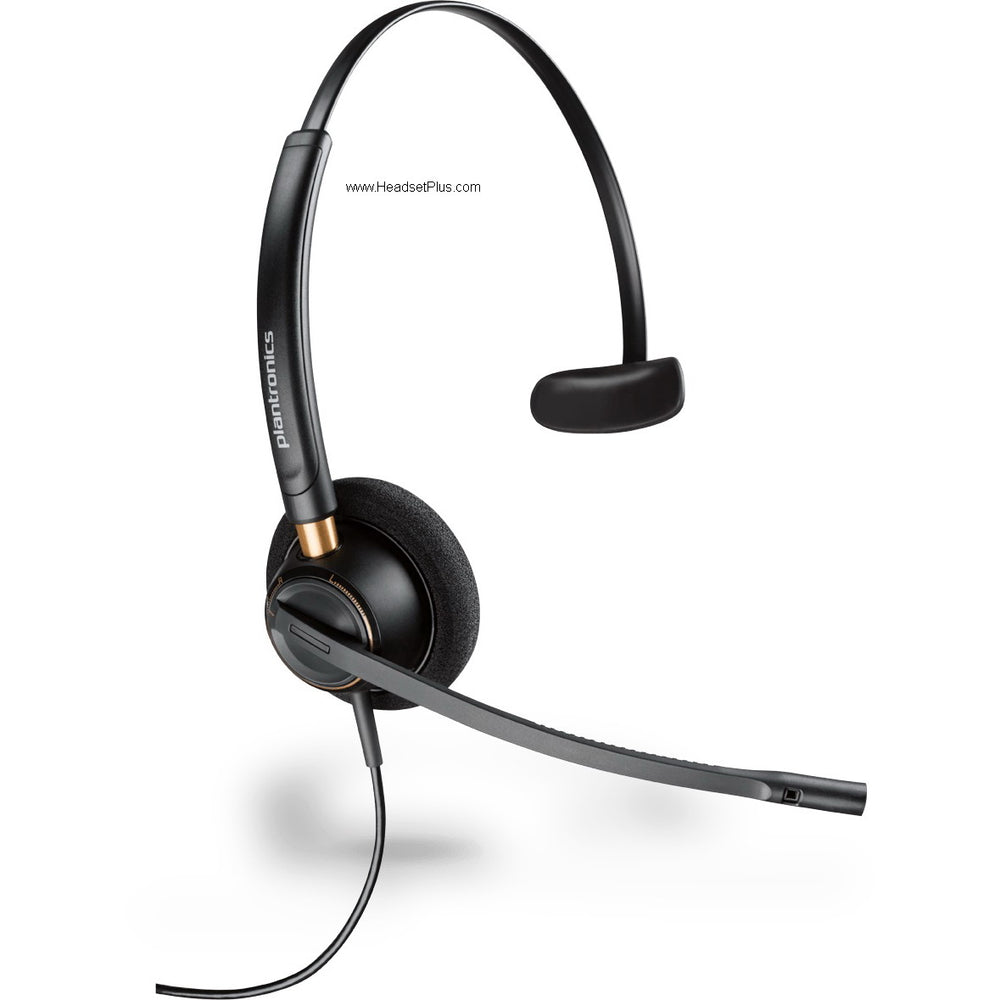
A quick-disconnect (QD) headset is a desk-phone headset that splits in two: the earpiece clips into a bottom cable at a QD connector, so you can unplug and walk away mid-call without hanging up, and swap a faulty headset in seconds without touching the phone.
Quick Disconnect (QD): The clip where a desk-phone headset meets its bottom cable. It's a convenience and a maintenance feature, not a phone connector — the QD end never touches the phone itself.
One catch worth knowing: QD styles are brand-specific. Jabra, Poly (Plantronics) and EPOS each use their own QD shape, and most third-party headsets copy the Poly style. The practical upshot is that your bottom cable has to match your headset's QD brand — a point that matters more than any of the RJ letters below.
RJ9 vs RJ10 vs RJ22: the connector with three names
RJ9, RJ10 and RJ22 are three names for the exact same connector — the 4P4C modular plug your desk phone's handset already uses. The number on the listing changes; the connector doesn't.
Myth
RJ9, RJ10 and RJ22 are different connectors I need to match.Reality
They're three labels for one 4P4C modular plug. If a headset or cable lists any of the three, it's the same physical connector. What actually varies from phone to phone isn't the plug — it's the wiring behind it, which is why the right bottom cable matters far more than the letters in the product name.The RJ9 headset connector isn't even an official registered jack — because a handset or headset never touches the public phone network, it was never formally registered, which is part of why the naming drifted into three versions. On the phone itself, most VoIP desk phones carry two of these ports: one for the handset, one for the headset.
QD vs RJ9: what's the actual difference?
QD and RJ9 sit on opposite ends of the same cable. QD is the clip on the headset side; RJ9 is the plug on the phone side. A QD headset reaches an RJ9 desk-phone port through a bottom cable that has QD on one end and RJ9 on the other — so you're never really choosing QD or RJ9. You're choosing the cable that connects them.
The headset bottom cable, explained
The bottom cable is the short lead between a QD headset and the desk phone's RJ9 port — and it's the piece that actually makes a headset compatible with your specific phone, because every manufacturer wires that port differently. Same plug shape, different signal layout behind it.
That wiring problem is exactly why a universal option like the Jabra GN1200 smart cord exists: an 8-position selector you slide through until you hear a dial tone, with three of those positions adding roughly 12 dB of microphone boost for phones with weak transmit levels. Pick the cable to match your headset's QD brand, set the switch, and the compatibility guesswork ends. The bottom cable is one of the five calls covered in our wider guide to choosing a wired headset, where it sits alongside ear count, microphone, comfort and certification.
What connector does my desk phone use?
Almost every business desk phone with a dedicated headset port uses RJ9 (4P4C) — including Poly/Polycom VVX, Yealink T-series, Cisco, and Avaya J-series. The main exceptions are older analog handsets with a 2.5 mm jack, found on some Panasonic KX-series and legacy Polycom models.
- Poly/Polycom, Yealink, Cisco, Avaya, Grandstream: RJ9 headset port — pair a QD headset with an RJ9 bottom cable
- Older Panasonic KX and some analog handsets: 2.5 mm jack — needs a 2.5 mm direct-connect cable
- No headset port at all: connect through a headset amplifier instead
Cisco deserves a flag: its phones use the RJ9 port but their own wiring, which is precisely the kind of variation a universal smart cord's selector positions are built to handle. And if you want to answer or end calls from the headset without tapping the phone, that's an EHS (electronic hookswitch) cable — more common on wireless setups, but worth knowing the term exists.
What are the main headset connector types?
The main headset connector types are USB-A and USB-C for computers, and QD plus RJ9 for desk phones. USB-A and USB-C are the same audio in different plug shapes; QD is the clip on a desk-phone headset, and RJ9 is the 4P4C plug that goes into the phone through a bottom cable. Choosing comes down to one question: computer or desk phone.
How do I know which headset connector type I need?
Match the headset connector type to your device. A PC or laptop softphone takes a USB-A or USB-C headset with no extra cable, while a desk phone takes a QD headset plus a bottom cable that ends in RJ9 and matches your phone's wiring. If your computer has a USB-C port, choose USB-C; if it's a standard rectangular port, choose USB-A.
Are RJ9, RJ10 and RJ22 the same connector?
Yes — RJ9, RJ10 and RJ22 are three names for the same 4P4C modular plug used on telephone handsets and headsets. The differing numbers don't signal a different connector. What varies between desk phones is the wiring behind that identical plug, which is why a matching bottom cable matters more than the label.
What's the difference between QD and RJ9?
QD and RJ9 are opposite ends of the same desk-phone cable. QD (quick disconnect) is the clip on the headset side that lets you unplug mid-call, and RJ9 is the plug that goes into the desk phone's headset port. A QD headset connects to an RJ9 phone through a bottom cable carrying both ends, so you use both rather than choosing between them.
What is a quick disconnect headset?
A quick disconnect headset is a desk-phone headset that separates from its bottom cable at a QD connector. That lets you step away from the desk without removing the headset or ending the call, and swap a broken headset in seconds without rewiring the phone. The QD end clips to the cable, never directly to the phone.
What connector does my desk phone use?
Most business desk phones use an RJ9 (4P4C) headset port, including Poly/Polycom, Yealink, Cisco and Avaya models. Some older analog handsets, such as certain Panasonic KX-series phones, use a 2.5 mm jack instead. Whichever it is, the bottom cable is what aligns the headset to your phone's specific wiring — a universal smart cord covers the common variations.
Strip away the acronyms and headset connector types reduce to one question: computer or desk phone? A computer means USB — pick A or C to match the port and you're done. A desk phone means a QD headset plus the right bottom cable for your phone's wiring, and once the cable is right, the letters stop mattering. Browse headsets by connector on the wired office headsets collection, or start from the top of the full wired headset buying guide.