














































How to choose a wired headset
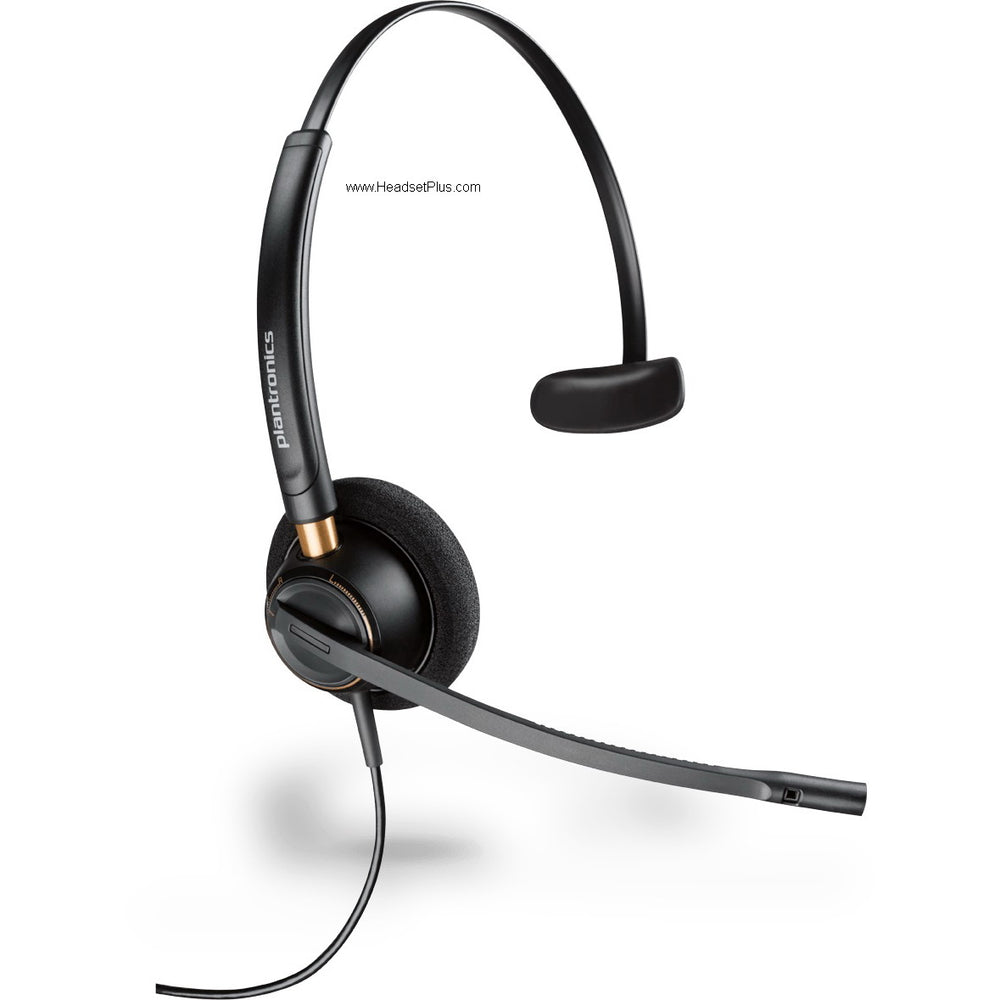
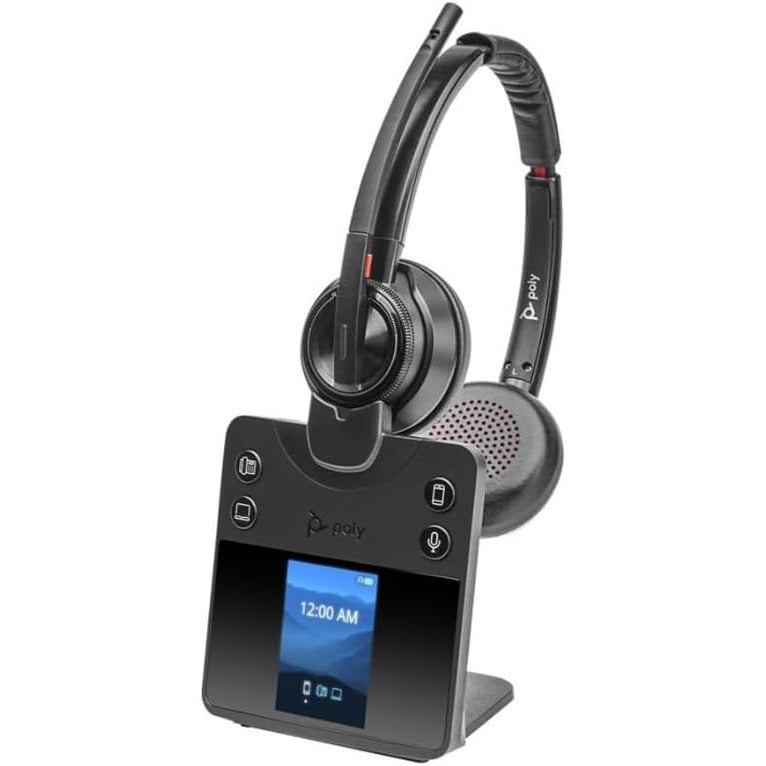
To choose a wired headset, settle five decisions in order: how it connects, one ear or two, what the microphone is meant to clean up, how it feels at hour eight, and whether your calling platform certifies it. The connector goes first because it is the only decision that can leave you holding hardware that does nothing at all. A desk phone needs a quick-disconnect bottom cable or an amplifier matched to that phone, because headset ports share a plug shape without sharing a wiring scheme; Jabra's GN1200 datasheet carries eight of them on one cord for exactly that reason. A PC or laptop softphone takes USB-A or USB-C instead, and a USB headset carries its own audio hardware, so nothing needs matching. On a contact center floor, add a sixth question that the spec sheets bury: what limits the sound coming into the ear when a line fault shrieks.
What actually narrows the shortlist
- The connector decides whether the headset functions at all: a desk phone needs a QD bottom cable or an amplifier, a PC needs USB-A or USB-C.
- Desk phone headset ports share a plug shape without sharing a wiring scheme, which is why one universal cord carries eight of them and amplifies the microphone on three.
- A noise-cancelling microphone cleans up what your caller hears. Limiting what reaches your own ear is a separate feature, and it is the one with a standards body behind it.
- Teams certification buys working buttons rather than better sound: Microsoft's floor is answer, hang-up, mute, unmute and volume, plus wide-band audio.
Corded headsets hold the contact center floor for reasons that have little to do with sound. Nothing runs out of battery at 2pm, nothing needs re-pairing after a firmware update, and one part number covers forty seats for three years. The cord is what you pay for that. What follows runs the five decisions in the order that costs least to get wrong, and spends longest on the two most buyers skip.
Start with the connector, not the brand
The connector is the only decision on this list that can leave you holding a headset that does nothing at all, so it goes first and everything else waits. A wired headset reaches a desk phone through a quick-disconnect bottom cable or a headset amplifier, and reaches a PC through USB-A or USB-C. Quick disconnect is simply the break point partway down the cord: pop it and you can leave the desk without taking the headset off, and a failed unit swaps out without anyone touching the phone's wiring.
The modular port under a desk phone looks identical from one manufacturer to the next, and the wiring behind it is not. Jabra's own GN1200 datasheet is unusually candid about it, saying the cord connecting the phone with the handset or headset "is anything but standard as each telephone manufacturer has its own wiring code". That cord answers the problem with eight separate wiring schemes on a single slider, and the published table names what each position is for: position 2 is Cisco 79xx IP phones, position 4 is Japanese phones including NEC and Nitsuko, position 5 is the Plantronics Vista base, and position 8 covers Avaya Callmaster V and VI. Setup is to flick the slider one position at a time until a dial tone appears.
Three of those eight positions do something the others do not. Jabra specifies an insertion gain of 11.5 dB nominal on positions 6 through 8, a built-in low-current microphone amplifier for telephones that require extra signal gain, naming Cisco, Panasonic, Nortel and Avaya among them. If callers say you sound faint on one of those phones and the headset itself tests fine elsewhere, that specification is the thing you are looking for, not a defective boom.
For a PC none of this applies, because a USB headset carries its own audio interface:
- Desk phone, analog or IP: a QD headset plus a bottom cable or amplifier matched to that phone model
- PC or laptop softphone: a USB-A headset, no extra cable
- Newer laptops and Macs: a USB-C model
USB-C carries one trap worth knowing before you try to solve it with an adapter. Android's hardware specification for USB-C-to-analog audio adapters is blunt about which way the platform went: only digital-to-analog adapters are allowed, and analog-only adapters following the USB Type-C connector specification's Appendix A are not supported. A native USB-C headset has its own digital audio hardware and sidesteps the question entirely. Buy the connector the machine actually has rather than building a chain of adapters to reach it. Matching a QD headset to a specific desk phone is a lookup rather than a judgment call, and the headset compatibility guide is where that lookup lives.
Bottom cable or headset amplifier
A bottom cable is the cheaper and tidier way into a desk phone, and an amplifier is what you buy when agents need microphone gain independent of the phone, or when the floor is loud enough that acoustic protection stops being optional.
| What you are choosing | Bottom cable | Headset amplifier |
|---|---|---|
| Desk space | None, it hangs off the phone | A small box that lives on the desk |
| Microphone gain | Fixed by the wiring position you selected | Adjustable, independent of the phone |
| Acoustic limiting | Not included | Built in on models that offer it |
| Cost per seat | Lower | Higher |
| Suits | A single desk or a small team | A contact center floor |
For one desk the cable wins on price and tidiness and there is little more to argue about. For a floor, one row in the amplifier column is not a convenience feature at all.
What a headset amplifier is actually protecting
Acoustic limiting protects the wearer from a sudden shriek down the line, and it needs its own hardware because the telephone's own ceiling sits far above the level that matters to someone wearing a headset all day. Writing for the Australian Acoustical Society in 2005, B. Groothoff of Workplace Health and Safety Queensland recorded that telephone equipment built to the Australian voice frequency standard is limited to 120 dB SPL at the eardrum, then did the arithmetic that the limit conceals.
Groothoff's health and safety audits found call center managers reasoning in the opposite direction. He records a belief that because telephones are limited there is no need for a volume limiter amplifier in the operator's headset system, and concludes that the attitude effectively leaves the operator without protection from acoustic shock. Headset wearers are the exposed group precisely because they are wearing it, since it is quicker to move a handset away from the ear than a headset.
Telephone equipment therefore may well comply with the Standard's requirements but may still enable an acoustic shock to occur.
That gap is what headset makers now build into the hardware, and their figures track the standards rather than a marketing target. HP's Poly documentation describes SoundGuard as acoustic limiting for protection against sounds exceeding 118 dBA, and SoundGuard Digital as adding anti-startle protection that detects and eliminates sudden increases in sound, plus time-weighted average control that prevents average sound exposure from exceeding 85 dBA. That 85 is the same 85 the exposure limit is written around. If you are specifying for a floor where a line fault or a feedback tone is a known event, this is the row that decides the purchase, and the independent volume control is the bonus.
One ear or two, and what the microphone actually cancels
Monaural leaves one ear on the room and binaural blocks more of it, and the microphone question is separate from both, because a noise-cancelling microphone cleans up what your caller hears rather than what you hear. A supervisor walking a floor, or anyone who needs to catch a colleague leaning over a partition, wants one ear open. Focus work in an open plan wants two. Neither is an upgrade of the other.
The microphone confusion costs more money than the ear count does. Someone buys a corded headset labeled noise-cancelling, expects quiet, and gets a boom that keeps keyboard clatter out of the outgoing audio while the office stays perfectly audible in their ear. Both features are worth having, and only one of them is usually present on a corded office headset.
It helps to know how loud the room that microphone is fighting really is. The same 2005 paper reports that Health and Safety Laboratory surveys across 15 call centers found a mean background level of 62 dB(A) with a maximum of 66 dB(A) while occupied, and that the author's own surveys found a mean of 66 dB(A) with a maximum of 71 dB(A). The Australian and New Zealand design standard for building interiors puts the satisfactory level for a call center at 40 dB(A) and the maximum at 45 dB(A). Working floors run roughly twenty decibels above the level the room was meant to be designed to, and that is the environment a boom microphone is being asked to reject.
What decides comfort at hour eight
Weight, cushion material and clamp force decide whether a headset is still tolerable at hour eight, and only one of the three appears on a datasheet. Weight in grams is published, so a shortlist can be compared without touching a product. Clamp force is not, which is why a trial unit settles this decision better than any spec comparison, and why the people who will wear it for a shift should be the ones who report back.
Cushions are a genuine choice rather than a finish. Leatherette seals against the ear and blocks more of the room, and it warms up over a long shift. Foam breathes and stays cooler, and it lets more of the office through. On a busy floor, build quality is the third factor: a desk headset gets pulled off a hook, rolled over by a chair and dropped, and the cord is where that damage lands first.
What Teams certification actually guarantees
Teams certification guarantees that the controls on the headset work inside Teams, which is a narrower promise than most buyers hear in the word certified. Microsoft sets the floor plainly: certified audio devices have basic call control covering answer and hang-up, mute and unmute, and volume control, along with wide-band audio with no echo, distortion or excessive glitches. Microsoft describes the program as third-party testing followed by three levels of internal testing before certification is awarded.
Wide-band is worth reading twice, because it is a standards term rather than a marketing one. ITU-T publishes its wideband telephony recommendation, G.722, under the title 7 kHz audio-coding within 64 kbit/s. A headset sold on HD Voice delivers that only when the phone, the line and the far end all carry wideband as well, so the headset is a necessary condition rather than a sufficient one.
- Microsoft Teams: a Teams-certified USB model, ideally with a dedicated Teams button
- Zoom and other UC platforms: a UC-mode headset with an in-line call controller
An uncertified USB headset will still carry your voice perfectly well. You will simply reach for the mouse to mute every time, which nobody notices in a demo and everybody notices by week two.
Putting the five answers together
The five answers narrow the field in a fixed order: the connector picks a family, the platform and the wearing style cut that in half, and comfort breaks the remaining tie. Run them in any other order and you end up admiring a headset you cannot plug in. There is no single best corded model, only the best one for your phone, your floor and your shift length. If the shortlist is coming out Jabra-heavy, how to choose a jabra headset takes that range apart model by model; otherwise compare the current field of wired headsets once the first four answers are written down.
Does a corded headset need a separate cable for a desk phone?
Almost always, yes. A corded headset reaches a desk phone through a bottom cable or a headset amplifier, because the headset itself is not wired for any one phone. Universal cords exist for that reason: Jabra's GN1200 datasheet describes eight separate wiring schemes on one cord, three of them with built-in microphone amplification, and setup is to step through the slider positions until a dial tone appears.
Should I buy a headset amplifier or just a bottom cable?
A bottom cable suits a single desk, and a headset amplifier earns its cost on a loud floor or wherever acoustic protection belongs in the specification. The amplifier adds microphone gain independent of the phone and, on models that offer it, acoustic limiting. HP's Poly documentation describes SoundGuard as limiting sounds above 118 dBA, with SoundGuard Digital adding anti-startle protection and time-weighted average control that holds average exposure below 85 dBA.
What does Microsoft Teams certification change on a wired headset?
Teams certification means the headset's call controls work inside Teams. Microsoft states that certified audio devices have basic call control covering answer and hang-up, mute and unmute, and volume control, plus wide-band audio with no echo, distortion or excessive glitches, and that the program runs third-party testing followed by three levels of internal testing. An uncertified headset still passes audio; the on-headset buttons are what you give up.