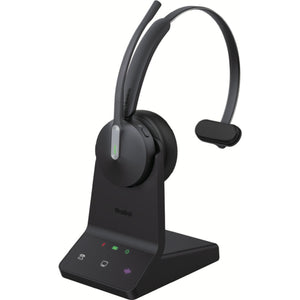
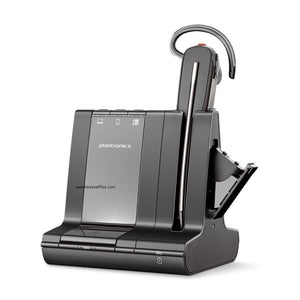
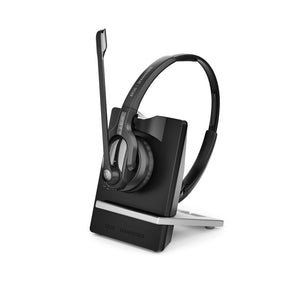
Yealink WH63 E2 Convertible Wireless DECT Headset
The Yealink WH63 E2 Wireless Headset, Simplified
You switch from a desk phone call to a laptop meeting a dozen times a day, and half your team wants a headband while the other half can't stand anything touching their head. The Yealink WH63 E2 Convertible Wireless DECT Headset solves both problems at once — one headset body, four ways to wear it, and a base that talks to your phone and PC at the same time.
It's also the lightest DECT headset in its class at 19 grams, which matters more than it sounds like it should. Wear a headband-style headset for eight straight hours and you notice every gram by hour six. This one you mostly forget is there.
Build the exact Yealink WH63 E2 you need
One choice to make here: which certification matches your call platform. The hardware, range, and battery are identical either way — this only changes which UC ecosystem the headset is built to integrate with out of the box.
- UC Version (Model 1208712). Optimized for major UC platforms — Zoom, RingCentral, Google Voice, 3CX, Genesys, and others. The right pick if your team isn't standardized on Teams specifically.
- Microsoft Teams Version (Model 1208711). Formally certified for Microsoft Teams, with a dedicated Teams button on the base and native call controls. Also certified for Zoom. Pick this if Teams is your primary platform — the certification means Microsoft has tested and approved the integration, not just confirmed it works.
Four wearing styles, one headset
The earpiece itself swaps between three included styles — over-the-head with the headband, over-the-ear with the earhook, or in-ear with the shark-fin eartip — plus an optional neckband sold separately for a fourth. Most offices land on headband or earhook as the daily driver and keep the eartip for quieter days.
Acoustic Shield noise cancellation — what it actually blocks
The Yealink WH63 E2 uses two microphones and Yealink's Acoustic Shield 3.0 algorithm to strip out background noise before it reaches the person on the other end of the call. That's the distinction that matters: this isn't noise cancellation for the wearer's ears, it's noise rejection for the wearer's voice — the keyboard clatter, the neighboring conversation, the HVAC hum all get filtered out of what the caller hears, while the wearer still hears their room normally.
Battery and standby
Eight hours covers a full shift of back-to-back calls without a midday charge. Standby stretches to 71 hours, so a headset left in the cradle over a long weekend is still ready Monday morning without a top-up.
Range and connectivity for the Yealink WH63 E2
DECT wireless range on the Yealink WH63 E2 reaches up to 607 feet (185 meters) line-of-sight from the base — enough to walk to the far end of most office floors, grab coffee, or step into a hallway conversation without dropping the call. Worth knowing: that figure is measured in open, obstruction-free conditions. Walls, cubicle partitions, and other DECT bases in the building will pull the real-world range down, sometimes noticeably in a dense office.
The base connects to a PC and a desk phone at the same time over dual USB-C, and one tap on the base switches which source you're talking on — no unplugging, no re-pairing. A built-in busylight on the base shows call status to anyone walking past; an external Yealink busylight can be added later through the base's dedicated jack if you want visibility from further down the row.
Desk phone compatibility
Yealink IP phones with a USB port connect directly with the included cable — no adapter needed. Most third-party desk phones (Cisco, Poly, Avaya, Mitel, Unify, and similar) need Yealink's EHS62 adapter, sold separately, to get remote call answer/end control from the headset. Call our team with your phone model before ordering if you're not sure which side of that line you're on.
Either way, the Yealink WH63 E2 earns its price back in the time it saves switching between a desk phone and a laptop all day — one headset, one charge cycle, and a certification that matches whatever platform your team actually lives in.
- Charging base
- Headset
- Shark-fin eartips
- Earhook
- Headband
- USB-C to USB-C cable
- USB-C to USB-A cable
- Power adapter
- Quick start guide
Optional accessories sold separately: neckband, external busylight (BLT60), EHS62 adapter for third-party desk phones.
| Specification | Detail |
|---|---|
| Weight | 19g (headset only) |
| Wireless technology | DECT |
| Wireless range | Up to 607 ft (185m) |
| Talk time | Up to 8 hours |
| Standby time | Up to 71 hours |
| Charge time | ~2.5 hours for full charge |
| Microphones | Dual mic, Yealink Acoustic Shield 3.0 |
| Wearing styles | Headband, earhook, eartip (included); neckband (optional) |
| Connectivity | Dual USB-C to PC and desk phone, simultaneous |
| Busylight | Built into base; external busylight jack for optional accessory |
| Certification (Model 1208711) | Certified for Microsoft Teams, Zoom |
| Certification (Model 1208712) | Optimized for major UC platforms |
| Warranty | 2-year manufacturer warranty |
Software: The Microsoft Teams version (1208711) is certified for Microsoft Teams and Zoom, with a dedicated Teams button on the base. The UC version (1208712) is optimized for major UC platforms including RingCentral, Google Voice, 3CX, Genesys, 8x8, and Unify.
Hardware: Connects via USB-C to PCs and to desk phones with a native USB port, including current Yealink IP phones. Most third-party desk phones (Cisco, Poly, Avaya, Mitel, Unify) require the Yealink EHS62 adapter, sold separately, for full remote call control.
Platforms: Works across Windows and Mac for PC-side calls. Confirm your exact desk phone model with our team before ordering if you need EHS remote control — compatibility varies by phone generation and firmware.
FAQ
Frequently Asked Questions
Both Yealink WH63 E2 versions use identical hardware, range, and battery. Model 1208711 is certified for Microsoft Teams and Zoom, with a dedicated Teams button on the base. Model 1208712 is optimized for other major UC platforms like RingCentral, Google Voice, and 3CX.
The Yealink WH63 E2 runs up to 8 hours of talk time per charge, with up to 71 hours of standby. A full charge from the base takes about 2.5 hours.
The Yealink WH63 E2 has a DECT wireless range of up to 607 feet (185 meters) in open, obstruction-free conditions. Walls and other DECT devices nearby will reduce the practical range in a typical office.
Yes. The Yealink WH63 E2 connects natively to Yealink IP phones with a USB port. Most other desk phone brands — Cisco, Poly, Avaya, Mitel, Unify — need the Yealink EHS62 adapter, sold separately, for full remote call control.
Yes. The Yealink WH63 E2 base connects to a desk phone and a PC simultaneously over dual USB-C, and a single button on the base switches which source you're talking on.
Each Yealink WH63 E2 ships with the headset, charging base, shark-fin eartips, earhook, headband, USB-C to USB-C cable, USB-C to USB-A cable, power adapter, and quick start guide. The neckband and external busylight are optional accessories sold separately.
Goes With It
You May Also Like