

















































The Jabra Biz 2400 II is one of the longest-running corded call center headsets still sold, and most questions about it come down to three things: how it protects your hearing, how its noise cancelling actually works, and which version you can still buy. Here's the full FAQ.
Key takeaways
- Corded Biz 2400 II models (Direct Connect and QD) are current; all USB/Bluetooth variants are discontinued.
- For USB computer use, the Jabra Engage 40 replaced the discontinued Biz 2400 II USB models.
- PeakStop cuts sound spikes at 118 dB SPL — well below the 135 dB SPL threshold acoustic experts associate with acoustic shock.
- UNC (Ultra Noise Cancelling) mics must sit within about an inch of your mouth, or they can start cancelling your voice.
- The FreeSpin boom arm rotates more than 360 degrees by design, which prevents the breakage that stops most boom arms.
Which Biz 2400 II models are still available?
This is the first thing worth sorting out, because the line splits cleanly:
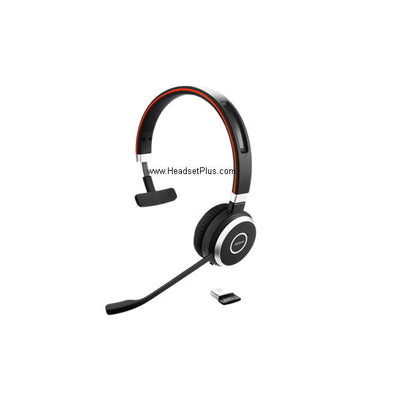
- Corded (current): Biz 2400 II Mono Direct Connect NC, Mono Direct Connect 3-in-1 UNC, QD Mono NC, and Duo UNC QD. These remain in production and available.
- USB and Bluetooth (discontinued): every USB/Bluetooth variant across both the original Biz 2400 and the Biz 2400 II, including the MS/Lync and Teams versions. The Jabra Engage 40 is the current replacement for corded USB computer use.
If you're replacing headsets on an existing Biz 2400 II corded deployment, you can still buy the same models. If you're replacing a USB one, you're moving to the Engage 40 line.
Myth
My Biz 2400 ear cushions will fit my Biz 2400 II headsets.Reality
They won't — the original Biz 2400 series cushions are discontinued and were replaced by a separate Biz 2400 II series cushion (sold in 10-packs). The two generations use different replacement parts, so check which generation your headsets actually are before ordering cushions, ear hooks, or neckbands.Hearing protection: how PeakStop works
The Biz 2400 II includes GN Netcom's PeakStop technology, which protects against sudden loud sound spikes — the high-pitched tone from a fax machine being the classic example, though any sudden burst on the line qualifies.
Many acoustic experts define acoustic shock as exposure to sound above 135 dB SPL, though lower levels can also cause damage over time. The Biz 2400 II, like other GN Netcom headsets, cuts sound off at 118 dB SPL (RMS) — comfortably below that threshold. Paired with a current Jabra amplifier such as the Link 860, the headsets also comply with international health and safety directives covering long-term cumulative noise exposure.
NC vs. UNC: two levels of noise cancelling
The Biz 2400 II comes with either a standard noise-cancelling (NC) microphone or an Ultra Noise Cancelling (UNC) microphone. Both distinguish between your voice and background sound, but UNC is built for environments with extremely high noise levels where voice clarity still has to hold up — a busy contact center floor rather than a normal office.
Why microphone position matters more than you'd think
A noise-cancelling microphone works by differentiating between sound from nearby sources (your mouth) and sound from further away, then eliminating the distant sound. That mechanism depends entirely on proximity.
Keep the microphone within about 2 cm — under an inch — of your mouth. This matters most with a UNC microphone: positioned too far away, a UNC mic can begin treating your own voice as distant sound and cancel it, which is exactly the opposite of what you want.
Wideband audio
Wideband: The frequency range a headset supports when transmitting and receiving. GN Netcom defines true wideband as 150–6,800 Hz — considerably wider than traditional narrowband telephony, which typically runs about 300–3,400 Hz. The extra range makes consonants like "s" and "f" noticeably easier to distinguish.
Connecting to a phone or computer
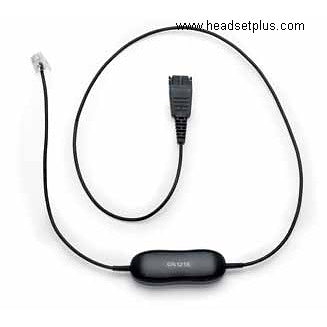
To a desk phone or amplifier: Biz 2400 II QD models connect through the standard Jabra/GN Netcom Quick Disconnect interface, which works with Jabra amplifiers including the current Link 860. Direct Connect models connect straight to compatible phones without an amplifier.
To a computer: a corded QD headset connects via a Jabra USB QD adapter — the Jabra Link 260 is the current option, replacing older adapters like the GN8110, GN8120, Link 220, and Link 280 that older documentation references. Alternatively, the Jabra Engage 40 is a purpose-built corded USB headset if you're buying new rather than adapting an existing QD headset.
Troubleshooting call audio
If the person you're speaking to can't hear you clearly: adjust the boom arm position first — this is the single most common fix, particularly with a UNC microphone, which needs to sit within about an inch of your mouth. If that doesn't resolve it, a Jabra amplifier such as the Link 860 gives you additional microphone gain.
If you can't hear the other person clearly: turn up the volume on the phone or amplifier. If that isn't enough, consider switching from a mono to a duo (both ears) headset — covering the second ear blocks a substantial amount of room noise on its own. An amplifier with DSP also helps by adjusting sound levels automatically.
Computer audio troubleshooting
- No sound in the headset: confirm the headset is selected as the audio device both in your computer's sound settings and inside the softphone or application you're using — these are two separate settings, and applications often override the system default.
- Computer doesn't detect the headset: try a different USB port before assuming a hardware fault.
- Setting the headset as default: on Windows, open Sound settings and select the Jabra headset for both playback and recording. On a Mac, open System Settings and select it for output and input under Sound. Menu names shift between operating system versions, so the exact wording may differ from what you see documented elsewhere.
For device management and firmware updates, Jabra Direct is the current software — replacing the older Jabra PC Suite that older documentation points to.
Build and accessories
The patented FreeSpin boom arm rotates through more than 360 degrees with no stopping point. That isn't just a comfort feature — a boom arm that rotates freely doesn't snap when it gets twisted, which is the failure point on most call center headsets.
Available accessories and replacement parts include ear cushions, a neckband, headband, ear hooks, and ear gels. Order the version matching your generation — Biz 2400 II parts are distinct from original Biz 2400 parts.
Warranty terms vary by model and generation, so confirm the current warranty for the specific Biz 2400 II model you're buying rather than relying on figures quoted in older documentation.
Is the Jabra Biz 2400 II still available?
The corded models are — Direct Connect and QD versions in mono, duo, and 3-in-1 configurations remain current. All USB and Bluetooth variants, across both the original Biz 2400 and the Biz 2400 II, are discontinued. For corded USB computer use, the Jabra Engage 40 is the replacement.
How does the Biz 2400 II protect against loud sound spikes?
Through PeakStop technology, which cuts sound off at 118 dB SPL (RMS). Acoustic experts commonly define acoustic shock as exposure above 135 dB SPL, so the cutoff sits well below that threshold, and lower sustained levels are addressed through compliance with cumulative noise exposure directives when used with a Jabra amplifier.
What's the difference between NC and UNC microphones?
Both cancel background noise by distinguishing near sound from distant sound. UNC (Ultra Noise Cancelling) is built for extremely loud environments where voice clarity still has to hold up — a busy contact center rather than a standard office. UNC mics are also more position-sensitive.
Why does my noise-cancelling microphone cancel my own voice?
It's positioned too far from your mouth. Noise cancelling works by treating distant sound as background and eliminating it, so a mic sitting too far away can start classifying your voice as distant. Keep it within about 2 cm — under an inch — particularly with a UNC microphone.
How do I connect a Biz 2400 II to my computer?
A corded QD Biz 2400 II connects through a Jabra USB QD adapter — the Link 260 is the current option, replacing older adapters like the GN8110, GN8120, Link 220, and Link 280. If you're buying new for computer use rather than adapting an existing headset, the Jabra Engage 40 is a purpose-built corded USB headset.
Can the Biz 2400 II boom arm rotate all the way around?
Yes — the patented FreeSpin boom arm is designed to rotate more than 360 degrees with no stopping point. Beyond comfort, this prevents the snapping that causes most boom arm breakages.
If you're maintaining an existing Biz 2400 II corded deployment, the same models are still available and the parts are still stocked — just make sure you're ordering II-generation accessories. If you're moving to USB, the Engage 40 is where that line continues. Call our team at 877-999-3838 with your model number and we'll confirm exactly what fits.

Comments (0)