











































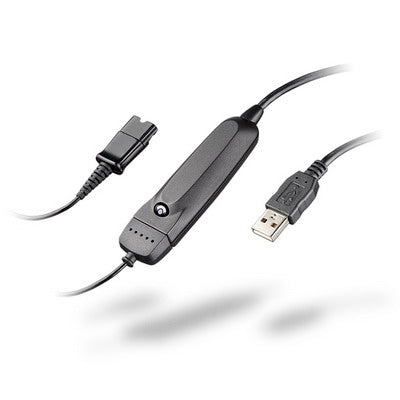
If you have a Plantronics D100 dongle sitting in a drawer and a CS500-series headset on your desk, you can pair them — the headset will connect to your computer instead of its base. It's not an obvious process, and the button sequence isn't in either product's manual.
Key takeaways
- The D100 was built for the Savi W400 series, but it can be subscribed to a CS500-series headset instead.
- The headset must be off its base and powered off before you start.
- Double-click the D100's subscription button (red/green flash), then hold the headset's volume button until white and green go solid.
- Returning the headset to its base automatically re-subscribes it to the base — no separate undo step.
- Both the D100 and the Savi W400 series are discontinued; a current USB adapter is the option if you don't already own one.
What this does, and who it's for
The CS500 series — CS510, CS520, CS530, and CS540 — is designed around a desk phone base. Subscribing it to a D100 instead points it at your computer, so the same headset handles softphone calls without a second headset or a switcher.
This is worth doing if you already own both pieces. If you're buying from scratch, it isn't the route to take — see the note at the end.
Before you start
Three conditions have to be right, and the procedure silently fails if any of them isn't:
- The D100 is plugged into an open USB port.
- The headset is off its base.
- The headset is powered off.
Myth
I'll just plug the D100 in and the headset will find it, like a Bluetooth dongle.Reality
It won't. DECT devices are subscribed to each other rather than discovered — the pairing has to be initiated deliberately from both the dongle and the headset, in the right order, with the headset powered off to begin with. Plugging in the D100 and waiting achieves nothing, which is why this catches people out. Follow the sequence below exactly.Subscribing the headset to the D100
- Connect the D100 to an open USB port on your computer.
- Take the headset off its base.
- Make sure the headset is switched off.
- Double-click the subscription button on the outer tip of the D100. It starts flashing red and green.
- Press and hold the volume up/down button on the back of the headset until the headset LED turns solid white and the D100's light turns solid green.
- To confirm, switch the headset on. If it's subscribed, the D100 flashes green while the connection is active.
The LEDs are how you know it worked. Flashing red/green means the D100 is waiting; solid white and solid green together means the subscription took.
Switching back to the desk phone
Straightforward: put the headset back on its base and it re-subscribes to the base automatically. There's no separate unsubscribe step, and you can move between the two as often as you like.
If you're buying rather than repurposing
Both the D100 and the Savi W400 series it was designed for are discontinued, so this is a way to use hardware you already have rather than something to assemble now.
If you're setting up a desk-phone-and-computer headset today, two better routes:
- A headset built for both. The Savi 8400 series connects to a desk phone, computer, and Bluetooth mobile simultaneously — no subscribing back and forth. Our Savi 8400 comparison covers the range.
- A switcher with your existing headset. The Plantronics MDA200 connects one headset to both a desk phone and computer with a button to toggle between them.
Can a Plantronics D100 work with a CS500 headset?
Yes. Although the D100 was designed for the Savi W400 series, it can be subscribed to a CS510, CS520, CS530, or CS540, letting the headset connect to a computer instead of its desk phone base.
Why won't my headset connect to the D100?
Usually one of the starting conditions. The headset must be off its base and powered off before you begin, and the D100's subscription button needs a double-click — not a single press — to enter subscription mode.
How do I know the subscription worked?
Watch the LEDs. The D100 flashes red and green while waiting. When the subscription completes, the headset LED turns solid white and the D100 turns solid green. Switching the headset on afterwards makes the D100 flash green while connected.
How do I switch back to using my desk phone?
Put the headset back on its base. It re-subscribes to the base automatically, with no separate unsubscribe step.
Is the D100 still available?
No — both the D100 and the Savi W400 series are discontinued. This procedure is for repurposing a dongle you already own. If you're buying now, a headset built for both a desk phone and computer, or a switcher like the MDA200, is the better route.
If the D100 is already in your drawer, this is a few minutes' work to get a second use out of it. If it isn't, buy a headset or switcher built for the job rather than tracking one down. Call our team at 877-999-3838 if you want help picking one.

Comments (0)