


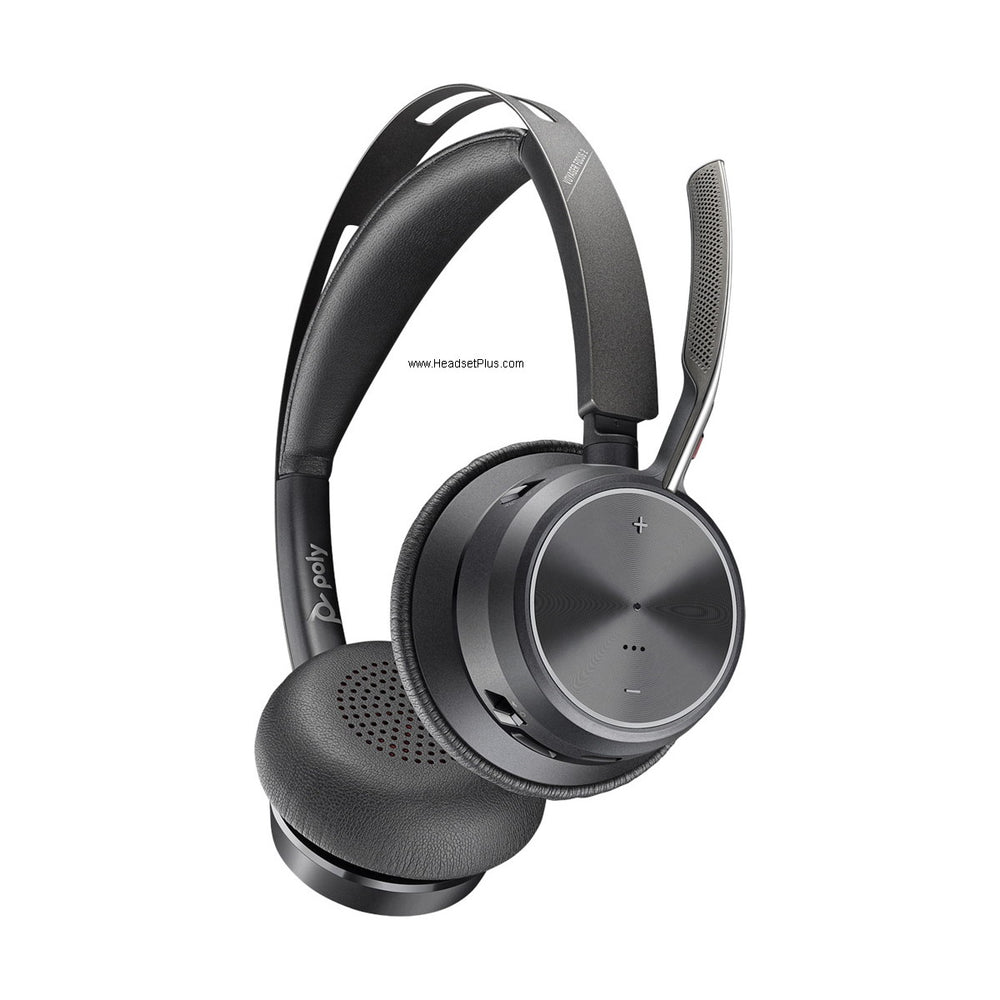












































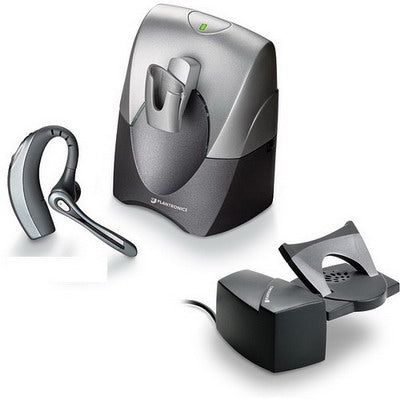
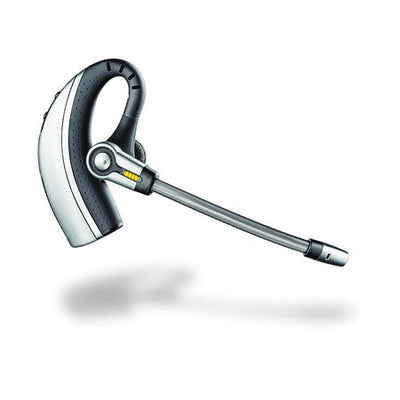
The Plantronics CS55H was a wireless headset system built specifically for home cordless (or corded) phones — letting home-based professionals take hands-free calls while multitasking around the house. It's long discontinued, and the market it served has largely moved on to cell phones and Bluetooth headsets, but if you're still running one, here's everything you need.
Key takeaways
- The CS55H is a discontinued home-use wireless headset, distinct from the office-oriented CS55.
- It includes a home phone adapter instead of the HL10 lifter used with office phones for remote answering.
- Up to 300 ft of 1.9GHz DECT range and 10 hours of talk time; works with any home phone, but not Bluetooth cell phones.
- Not designed for multiline or true multiline business phones — single-line home phones only.
- No direct successor exists; a Bluetooth headset is the modern equivalent for hands-free cell phone calling.
CS55H vs CS55: home use vs office use
The CS55H and the standard CS55 are built for different environments. The CS55 is designed for office phones and needs an HL10 handset lifter for remote call answering. The CS55H is designed for home cordless or corded phones and comes with a home phone adapter instead, which replaces the need for a lifter.
Myth
I can use my Plantronics CS55H with my office phone at work.Reality
Not ideally — the CS55H doesn't come with the HL10 handset lifter that office phones typically need for remote call answering. It's built around a home phone adapter instead. For an office phone, the standard CS55 (paired with an HL10 lifter) is the right choice.Phone compatibility
The CS55H works with any home cordless phone regardless of brand, model, or frequency, and also works with a corded home phone using the same setup. A standard office CS55 could technically work with a corded home phone, but its sound performance wouldn't be optimal, and it would require an HL10 lifter that the CS55H's built-in home phone adapter makes unnecessary.
It works on a 2-line home phone, but you'll need to choose which of the two lines to install it on. It is not a Bluetooth headset and won't work with a Bluetooth-enabled cell phone, and it isn't designed to work on a true multiline business telephone.
1.9GHz DECT: why it matters
The CS55H uses the 1.9GHz DECT frequency, a band reserved specifically for voice communication by the FCC. Because it's dedicated to voice, it avoids the interference that can affect 900MHz and especially 2.4GHz wireless products from devices like Wi-Fi routers, microwaves, and other wireless equipment.
Range, battery, and fit
Expect up to 300 feet of range from the base, though actual range varies significantly with your home's layout — number of walls, construction materials, and so on. Battery life is up to 10 hours of talk time and 50 hours of standby. Both microphone (talking) and listening volume can be adjusted, with talking volume set on the base and listening volume adjustable on both the base and the headset. It comes in two wearing styles: over-the-ear and over-the-head.
Caller ID, call waiting, and the "Flash" feature
Caller ID displays on the phone handset as usual, provided you subscribe to that service and the phone is turned on. If you're on a headset call and another call comes in, you'll hear a "Call Waiting" beep in the headset (if subscribed); to actually view the new caller's ID, you need to turn the regular phone back on and press "talk."
The "Flash" feature (switching between two calls) does not work the normal way while using the CS55H — pressing the headset button during an incoming call simply hangs up the current call rather than switching to the new one. Once the CS55H headset is active, the phone's own Flash button is deactivated, even if you turn the phone back on to check Caller ID.
Voicemail and answering machines
The CS55H doesn't interfere with either. An unanswered call routes to your answering machine or voicemail exactly as it would without the headset. To check voicemail through the headset, both the headset and the phone need to be on at the same time; for a regular call that doesn't need digit entry, it's better to turn the phone off. When entering digits on the phone during an active headset call, you'll hear the dial tones in the headset itself.
How to make a call with the CS55H
- Dial the number on the cordless (or corded) phone.
- Once the call connects, press the button on the headset.
- Hang up the phone and keep talking — you can walk up to 300 feet from the base.
Hanging up the phone before transferring fully to the headset is recommended (though not mandatory), since having both the handset and headset active at once can cause buzz or echo. It also lets the phone dock and recharge while you're on the call.
Setup tips and troubleshooting
- Match up the color-coded labels on all cables during setup.
- Push all plugs firmly into both the base and the wall outlet.
- Place the base at least 1 foot away from the phone, a computer, or any other metal object.
- Push the headset gently into its cradle and charge for a full 3 hours before first use.
If you hear static or buzz: confirm the base is at least 1 foot from the phone, computer, or metal objects, and turn the phone's handset off while using the headset.
The CS55H is discontinued — what to use now
The CS55H has been discontinued, and there's no direct successor — the market for dedicated home-cordless-phone headset systems has largely been replaced by cell phones and Bluetooth headsets. If you're looking for the modern equivalent of hands-free, walk-around calling at home, a Bluetooth headset paired to your cell phone is the current path; see our Bluetooth headset guide for current picks.
What is the Plantronics CS55H Home Edition?
The CS55H was a wireless headset system built for home cordless or corded phones, letting home-based professionals take hands-free calls while multitasking. It's now discontinued. It differs from the office-oriented CS55 mainly in using a home phone adapter instead of an HL10 handset lifter for remote answering.
Can I use the Plantronics CS55H with a cell phone?
No. The CS55H is not a Bluetooth headset and will not work with a Bluetooth-enabled cell phone. It's designed specifically for home cordless or corded landline phones. For hands-free cell phone calling today, a Bluetooth headset is the modern equivalent.
Does the Plantronics CS55H work with any home phone?
Yes, it works with any home cordless phone regardless of brand, model, or frequency, and also with corded home phones. It is not designed for true multiline business telephones, and on a 2-line home phone, you'll need to choose which line to install it on.
Why won't the "Flash" (call switching) feature work on my CS55H?
The Flash feature is deactivated whenever the CS55H headset is active. Pressing the headset button during an incoming call hangs up the current call rather than switching to it, and this remains true even if you turn the phone back on to check Caller ID during an incoming call.
Is the Plantronics CS55H still available?
No, it's discontinued, and there's no direct successor in this specific home-cordless-phone headset category. The functional equivalent today — hands-free, walk-around calling at home — is a Bluetooth headset paired with a cell phone rather than a dedicated home landline system.
If your CS55H is still working, everything above should keep it running smoothly — the setup tips and static troubleshooting resolve the vast majority of issues. When it finally reaches the end of its life, the category it served has moved on to Bluetooth headsets for cell phones, which is worth considering for a genuinely modern replacement. Call our team at 877-999-3838 with any questions.
Was this article helpful?
Thanks for letting us know.
Comments (0)