


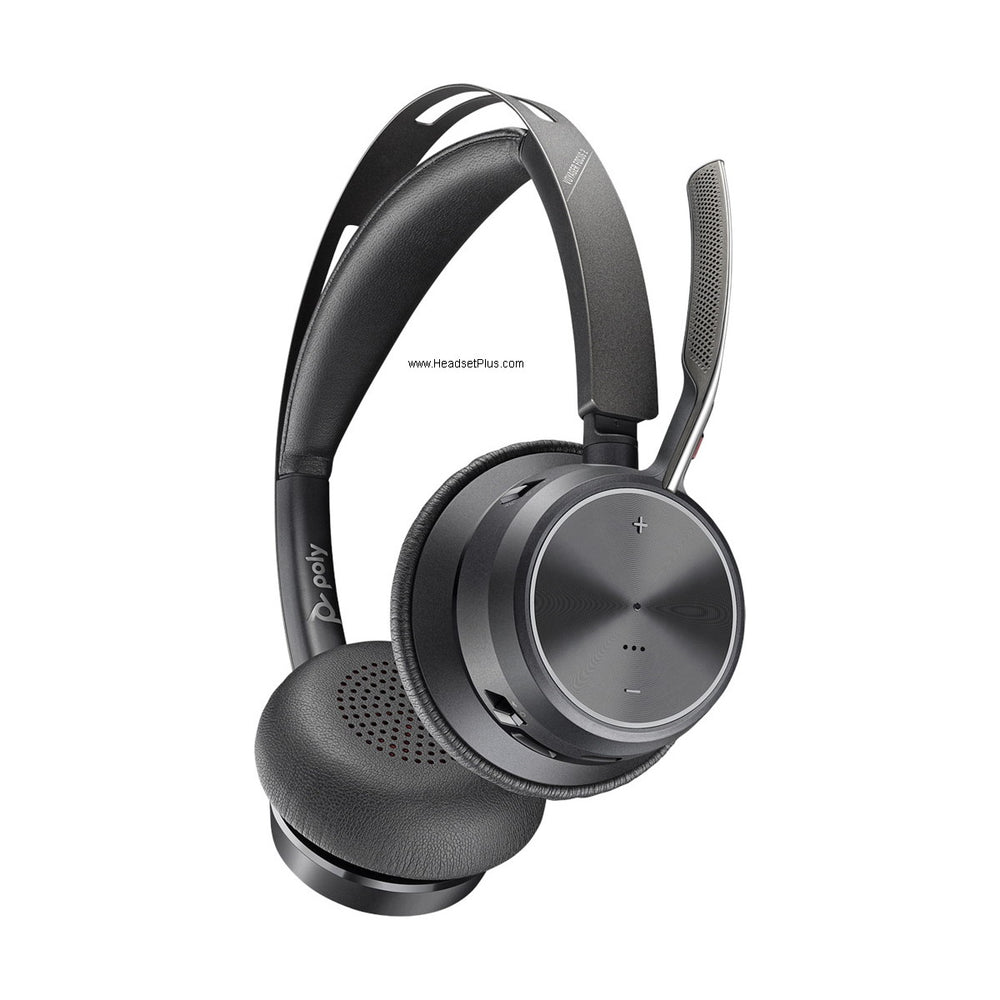












































You bought a wireless headset for your desk phone, and now most of your calls happen on your computer. You don't necessarily need a new headset — there are three ways to bridge the gap, and which one suits you depends on how much you want to spend and whether you still use the desk phone at all.
Key takeaways
- The APU-76 adapter is the simplest route for a Poly CS500 or Savi base — one cable to a USB-A port.
- A ZoomSwitch adds a physical toggle between desk phone and computer, with the ZMS20-UC adding volume and mute control.
- Basic volume works through your computer's sound settings; sidetone and notifications need the manufacturer's software.
- Older Jabra desk-phone-only models like the Pro 920 can't be adapted — upgrading is the route there.
- Current headsets (Savi 8400 series, Engage 65 SE) handle both connections natively without adapters.
Option 1: the APU-76 adapter (Poly headsets)
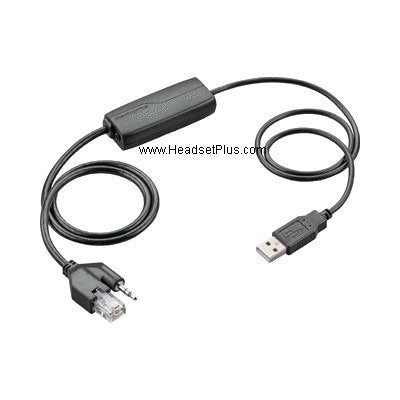
The simplest fix if you have a Poly CS500-series or Savi desk-phone headset. One end plugs into the headset base, the other into any USB-A port, and your computer recognises the headset as a standard audio input and output device.
Basic volume control works through your computer's own sound settings. For anything beyond that — sidetone, notification behaviour, or a live battery readout on screen — you'll need the HP Poly Studio App, the current name for the software formerly called Poly Lens and, before that, Plantronics Hub. Our guide to that software covers what it does.
Option 2: a ZoomSwitch
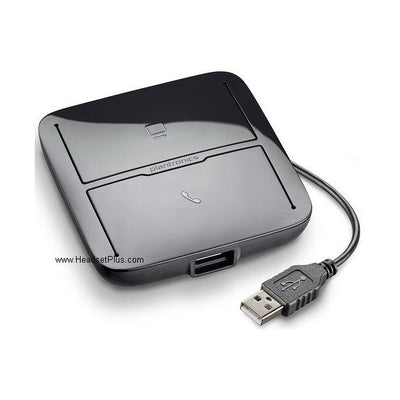
If you still use the desk phone as well, a ZoomSwitch is the better fit. It sits between the headset base, the phone, and the computer, with a button to toggle which one you're connected to.
- ZoomSwitch ZMS10 — the basic version, with everything needed to connect a standard wireless headset to a computer.
- ZoomSwitch ZMS20-UC — adds a built-in amplifier on the USB side for better control over how you sound on computer calls, plus separate mute switches for the phone and computer.
Myth
A ZoomSwitch works alongside my EHS cable for remote answering.Reality
Usually not. The ZoomSwitch's telephone interface cable occupies the same connection point an EHS cable would use, so most EHS setups aren't compatible with it. A Poly HL10 mechanical lifter does work alongside it — a common approach is fitting the HL10 while the ZoomSwitch is in place. Our ZoomSwitch and EHS compatibility guide covers the exception for some Avaya cables.Option 3: replace the headset
Sometimes adapting isn't worth it — particularly if the headset is several years old or your desk phone use is fading anyway.
Poly
The Savi 8400 series connects to a desk phone, computer, and Bluetooth mobile device simultaneously from one base. The 8410 is mono, the 8420 adds active noise cancelling and telecoil hearing-aid compatibility, and the 8445 is convertible with a hot-swappable battery.
If you're working from an older list, the Savi 7210 and 7220 are superseded by the 7310 and 7320, which cover desk phone and computer without Bluetooth.
Jabra
This is where adapting often isn't an option at all. The Jabra Pro 920 was built for desk phones only, with no computer path — so if that's what you have, upgrading is the route.
The Jabra Engage 65 SE is the current model, replacing the Pro 920 and the original Engage 65 and 75. It connects to a desk phone and computer simultaneously with all cables included, uses a higher-encryption DECT chipset than standard, and has built-in busylights. Available with a mono headband, stereo, or an over-the-ear hook with a discreet boom.
If you only need the computer and have no desk phone, the Engage 55 is the leaner choice — it uses a Link 400 dongle for similar range without a base, and the dongle is bendable enough to survive being left plugged into a laptop in a bag.
Advanced settings on either — extending wireless range, adjusting sidetone, controlling busylight behaviour — are handled through Jabra Direct.
Which should you choose?
- Still using the desk phone regularly? ZoomSwitch, for the physical toggle.
- Mostly on the computer now, Poly headset? APU-76 adapter — cheapest and simplest.
- Jabra Pro 920 or similar desk-phone-only model? Upgrade; there's no adapter path.
- Headset getting old anyway? A current dual-connectivity model removes the problem permanently.
Our guide to headsets that work with a desk phone, computer, and mobile compares the current options in more depth.
Can I use my desk phone wireless headset with my computer?
Usually yes. A Poly APU-76 adapter connects a CS500 or Savi base to a USB-A port, or a ZoomSwitch lets you toggle between phone and computer. Some older Jabra models, including the Pro 920, were built for desk phones only and can't be adapted.
What's the difference between the ZoomSwitch ZMS10 and ZMS20-UC?
The ZMS10 is the basic version with everything needed to connect a wireless headset to a computer. The ZMS20-UC adds a built-in amplifier on the USB side for better outgoing audio control, plus separate mute switches for the phone and computer sides.
Do I need software to use my headset with a computer?
Not for basic volume — that works through your computer's sound settings. For sidetone, notification settings, or a live battery readout, you'll need the HP Poly Studio App for Poly headsets or Jabra Direct for Jabra.
Can I use a ZoomSwitch with an EHS cable?
Generally not — the ZoomSwitch's telephone interface cable occupies the same connection an EHS cable needs. A Poly HL10 mechanical lifter works alongside it instead, and some Avaya EHS cables are a confirmed exception.
Is it better to adapt my headset or replace it?
Adapting makes sense if the headset is relatively new and you still use the desk phone. If it's several years old, or you're mostly on computer calls now, a current model like the Poly Savi 8400 series or Jabra Engage 65 SE handles both natively without adapters.
The quickest way to decide: if you still use the desk phone daily, adapt. If you barely touch it, replace. Call our team at 877-999-3838 with your headset model and we'll tell you which adapters actually fit it.
Was this article helpful?
Thanks for letting us know.
Comments (0)