

















































This is the single most common question we get about wireless headsets: how do you dial, transfer, or put someone on hold using the headset? The honest answer is you can't — and once you know why, the rest of your setup makes a lot more sense.
Key takeaways
- A headset (corded or wireless) has no telephone functions — no dial, hold, transfer, or voicemail.
- Those functions live on the phone itself; you use the phone's keypad or softphone controls exactly as you would without a headset.
- The one extra capability a wireless headset offers is remote answering, away from the desk.
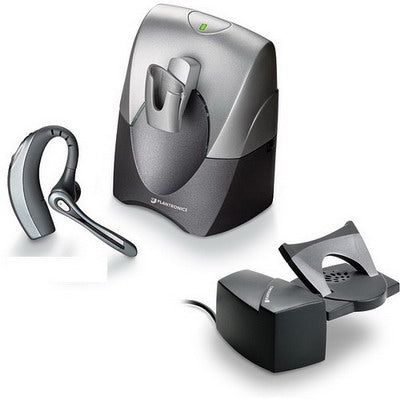
- Remote answering requires a handset lifter (like the Poly HL10) or an EHS cable — the headset alone can't do it.
Why a headset can't dial, transfer, or hold calls
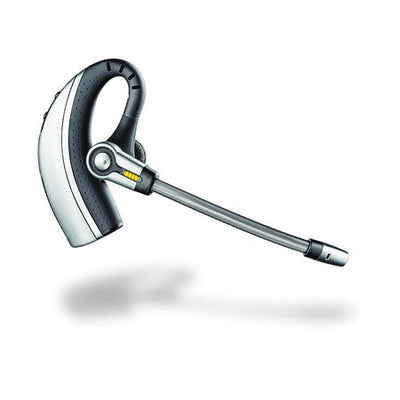
A headset — corded or wireless — is simply a replacement for your phone's handset. It lets you talk and listen without holding a receiver to your ear, and that's the whole job. Dialing, call transfer, hold, and voicemail are all telephone functions, built into the phone itself (or your softphone app), not the headset. If you need a phone with cordless dialing and call-management built in, that's a different product entirely — a cordless phone, not a cordless headset — and it comes from your phone system's manufacturer, not your headset brand.
What a wireless headset can add: remote answering
The one genuine extra capability a wireless headset offers over a corded one is answering and ending calls away from your desk. That's not a headset feature on its own — it requires one of two accessories:
- A handset lifter (like the Poly HL10 or Jabra GN1000), which physically raises the phone's handset to answer the call. See our full HL10 & GN1000 lifter setup and FAQ.
- An EHS (electronic hook switch) cable, which answers the call electronically on compatible phones — no moving parts. See our EHS hookswitch cable guide for how to tell which your phone supports.
Either way, you're still answering and ending the call — you're not dialing, transferring, or putting anyone on hold from the headset itself. Those steps still happen on the phone.
Can I dial a number from my wireless headset?
No. Dialing is a telephone function, not a headset function. You dial from your phone's keypad or your softphone's on-screen dial pad, exactly as you would without a headset connected.
Can I transfer or hold calls from my headset?
No. Call transfer and hold are telephone functions. A headset only handles the talk and listen part of the call — transferring or holding still happens on the phone or softphone itself.
What can a wireless headset actually do that a corded one can't?
The main advantage is remote answering — picking up or ending a call away from your desk — using a handset lifter or an EHS cable. Beyond that, a wireless headset works the same way a corded one does: it replaces the handset for talking and listening, nothing more.
Do I need a special phone to get dial, hold, and transfer with a headset?
You need those features on your phone or phone system already — a headset doesn't add them. If your current desk phone doesn't support a feature you need, that's a phone system question for your provider, not something a headset upgrade can solve.
Knowing what a headset does and doesn't do saves a lot of frustration — it's not a phone, and it was never meant to be one. It replaces your handset for hands-free talking and listening, and if you want to answer calls away from your desk, a handset lifter or EHS cable gets you there. Questions about your specific setup? Call us at 877-999-3838.

Comments (0)