

















































What is multipoint Bluetooth?
Multipoint Bluetooth lets one headset stay connected to two devices at the same time, such as your laptop and your cell phone. When a call rings on either one, you answer it from the headset without pairing again.
It does not play both at once. The headset switches to whichever device has the call.
Before you rely on multipoint
- Check the headset says multipoint, not just "pairs with up to eight devices". Remembering devices is not the same as staying connected to two.
- Check whether a second call puts the first on hold or drops it. Jabra calls these advanced and simple multipoint.
- If the headset has a USB dongle, the dongle usually covers the laptop and Bluetooth covers the phone.
For anyone working from home, this is the feature that lets one headset handle Teams on the laptop and the office line forwarded to your cell. It is the defining trait of the headsets that pair with a laptop and a phone at the same time in our range.
How multipoint works when a call comes in
The headset keeps a live link to both devices, rings through whichever one gets the call, and connects you to it when you press answer. Jabra describes two versions. With simple multipoint, answering a call on the second device ends the call on the first. With advanced multipoint, which Jabra now treats as standard, the first call goes on hold and you can return to it afterward.
Music behaves the same way: if you are listening on the laptop and your phone rings, the laptop audio pauses while you take the call.
Multipoint vs pairing
Pairing is a headset remembering a device; multipoint is a headset staying connected to two of them. Plenty of headsets remember a long list of phones and laptops but only hold one live connection, so you have to disconnect one to use the other. That is the difference to look for in the spec sheet.
Where the USB dongle fits in
Many work headsets ship with a small USB Bluetooth dongle for the computer. Microsoft notes that most Teams-certified Bluetooth headsets are designed to connect to a PC through a dongle, and that a computer's built-in Bluetooth radio can hold back call quality on some machines. In practice the dongle takes the laptop connection and your phone pairs over Bluetooth, which is how headsets like the Poly Voyager 4320 and Jabra Evolve2 65 cover both devices.
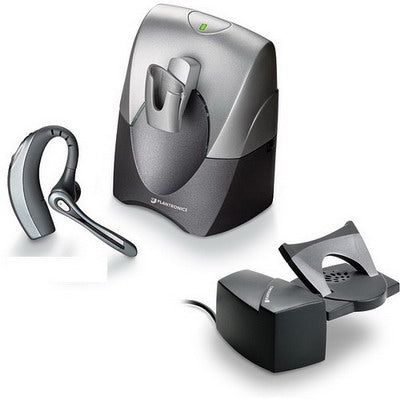
Some office headsets go further with a base station. Jabra calls this triple connectivity: a desk phone, a computer and a mobile, all through one headset.
What multipoint cannot do
Multipoint does not merge two calls or let you hear your laptop and phone at the same time. It also does not change how you sound or how the headset feels. If callers say you sound faint on one device, check why a mic sounds too quiet. If the headset aches by mid-afternoon, why headphones hurt your ears covers the fit.

Comments (0)